
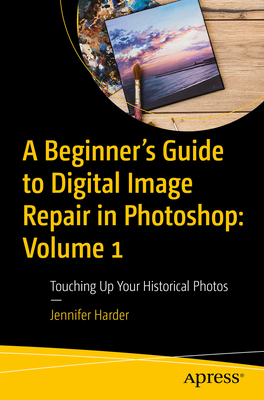
A Beginner's Guide to Digital Image Repair in Photoshop: Volume 1: Touching Up Your Historical Photos
| AUTHOR | Harder, Jennifer |
| PUBLISHER | Apress (08/21/2024) |
| PRODUCT TYPE | Paperback (Paperback) |
Digitally restore your old photos in Photoshop for print out or to use online as still photos. This first of two volumes will show you some of the basic techniques you can use in Photoshop to preserve or repair damaged family and historical photos.
In today's digital world of smart phones and cameras, you can easily transfer your photos from phone to computer. However, occasionally you're left with an old or damaged version of the image and the uncertainty of how to fix them. Aided by the sound advice and tips from author Jennifer Harder, this book will show you how to do so with just a few basic corrections in Photoshop. Using healing tools, basic color correction tools, layer masks, and workspace commands to fill in missing gaps, you'll be able to print out an unblemished picture or post it on your social media page.
A Beginner's Guide to Digital Image Repair in Photoshop: Volume 1 provides the know-how to help preserve your family treasures.
What You Will Learn
- Review scanner basics for digitizing your photos
- Use various "healing" and color adjustment tools in Photoshop for restoring photos
- See how custom selections and layer masks can be used in the photo restoration process
- Apply various workspaces to fill in missing details in an image or merge photos
Who Is This Book For
Users who want to learn how to repair old historical photos and slides for digital presentation or for print as well as those who are interested in basic animation.
In today's digital world with smart phones and cameras, we can easily transfer our photos from phone to computer. Then, with Photoshop, we do a few basic corrections using adjustment layers and filters and then print out the picture with our printer or post it on our social media page. However, occasionally we are left with the old or damaged photos and slides from a loved one and now we need to decide what to do with these old family treasures. What can we do to restore them?
You will come away with various techniques and tips that they can use to restore their own photos. The book will also consider what are the next steps in a photo restoration project beyond Photoshop.
You Will
- Learn how to use various tools in Photoshop for restoring photos
- Discover which old and new filters are useful for repairing most photo issues
- Find out how you can animate photos using the Photoshop Timeline Panel
Digitally restore your old photos in Photoshop for print out or to use online as still photos. This first of two volumes will show you some of the basic techniques you can use in Photoshop to preserve or repair damaged family and historical photos.
In today's digital world of smart phones and cameras, you can easily transfer your photos from phone to computer. However, occasionally you're left with an old or damaged version of the image and the uncertainty of how to fix them. Aided by the sound advice and tips from author Jennifer Harder, this book will show you how to do so with just a few basic corrections in Photoshop. Using healing tools, basic color correction tools, layer masks, and workspace commands to fill in missing gaps, you'll be able to print out an unblemished picture or post it on your social media page.
A Beginner's Guide to Digital Image Repair in Photoshop: Volume 1 provides the know-how to help preserve your family treasures.
What You Will Learn
- Review scanner basics for digitizing your photos
- Use various "healing" and color adjustment tools in Photoshop for restoring photos
- See how custom selections and layer masks can be used in the photo restoration process
- Apply various workspaces to fill in missing details in an image or merge photos
Who Is This Book For
Users who want to learn how to repair old historical photos and slides for digital presentation or for print as well as those who are interested in basic animation.