
ISBN 9780132715515 is currently unpriced. Please contact us for pricing.
Available options are listed below:
Available options are listed below:
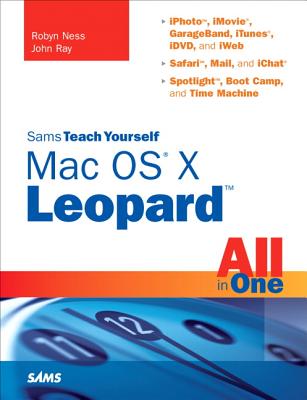
Sams Teach Yourself Mac OS X Leopard All in One (Out of print)
| AUTHOR | Ray, John; Ness, Robyn |
| PUBLISHER | Sams Publishing (12/21/2003) |
| PRODUCT TYPE | eBook (Open Ebook) |
Description
You've got a Mac. You've got Leopard. And you've got iLife, Safari, Mail, iChat...and all the rest. Now all you need to do is figure out how to get them to work together--so that you can stop thinking about your computer and start thinking about getting things done, having fun, and enjoying everything your Mac has to offer. This one book is your answer--the answer to any questions you might have today, and the answer to all the questions about Leopard and your Mac that you're likely to have in the future. Find out how to...
- Get the most enjoyment out of iLife
- Find files and documents with Spotlight
- Use QuickTime and DVD Player
- Use Windows software on Intel Macs
- Work with peripheral devices
- Surf the Web with Safari
- Send email with Mail
- Collaborate via iChat
- Share your screen, files, and computer securely
- Recover from crashes
- Back up and restore files with Time Machine
Show More
Product Format
Product Details
ISBN-13:
9780132715515
ISBN-10:
0132715511
Binding:
Electronic Book Text (Windows)
Content Language:
English
More Product Details
Page Count:
696
Carton Quantity:
0
Country of Origin:
US
Subject Information
BISAC Categories
Computers | Operating Systems - Mac OS
Computers | Reference
Dewey Decimal:
005.446
Descriptions, Reviews, Etc.
jacket back
- iPhoto, iMovie, GarageBand, iTunes, iDVD, and iWeb
- Safari, Mail, and iChat
- Spotlight, Boot Camp, and Time Machine
- Get the most enjoyment out of iLife
- Find files and documents with Spotlight
- Use QuickTime and DVD Player
- Use Windows software on Intel Macs
- Work with peripheral devices
- Surf the Web with Safari
- Send email with Mail
- Collaborate via iChat
- Share your screen, files, and computer securely
- Recover from crashes
- Back up and restore files with Time Machine
Show More
publisher marketing
You've got a Mac. You've got Leopard. And you've got iLife, Safari, Mail, iChat...and all the rest. Now all you need to do is figure out how to get them to work together--so that you can stop thinking about your computer and start thinking about getting things done, having fun, and enjoying everything your Mac has to offer. This one book is your answer--the answer to any questions you might have today, and the answer to all the questions about Leopard and your Mac that you're likely to have in the future. Find out how to...
- Get the most enjoyment out of iLife
- Find files and documents with Spotlight
- Use QuickTime and DVD Player
- Use Windows software on Intel Macs
- Work with peripheral devices
- Surf the Web with Safari
- Send email with Mail
- Collaborate via iChat
- Share your screen, files, and computer securely
- Recover from crashes
- Back up and restore files with Time Machine
Show More
Author:
Ray, John
John Ray is Herbert Thompson Professor of Egyptology at Cambridge University, and is also a Fellow of Selwyn College.
Show More