
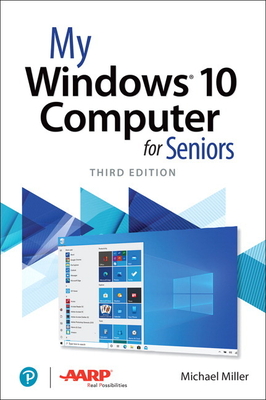
My Windows 10 Computer for Seniors
| AUTHOR | Miller, Michael |
| PUBLISHER | Que (07/23/2020) |
| PRODUCT TYPE | Paperback (Paperback) |
Description
My Microsoft Windows 10 Computer for Seniors is an easy, full-color tutorial on the latest operating system from Microsoft. Veteran author Michael Miller is known for his ability to explain complex topics to everyday readers. Michael wrote this book from the 50+ point of view, using step-by-step instructions and large, full-color photos to cover all the most popular tasks. Miller will help you learn to: - Get started with Windows 10, whether you're experienced with computers or not
- Configure Windows 10 to work better for those with vision and physical challenges
- Explore the web with Microsoft's Edge browser and Google Search
- Find, install, and use the best Windows apps
- Reliably connect to the Internet, both at home and away
- Shop safely online and avoid online scams
- Make and receive video and voice calls with Skype
- Connect your phone to your PC to text and make calls
- Stay connected with friends and family on Facebook, Pinterest, and Twitter
- Store, touch up, and share your pictures
- Send and receive email with Windows 10's Email app
- Keep track of all your files, and back them up safely
- Watch streaming video on your PC with Disney+, Netflix, YouTube, and more
- Discover great new music with Spotify and Pandora
- Fix common PC problems, and manage Windows updates
- Configure Windows 10 to work better for those with vision and physical challenges
- Explore the web with Microsoft's Edge browser and Google Search
- Find, install, and use the best Windows apps
- Reliably connect to the Internet, both at home and away
- Shop safely online and avoid online scams
- Make and receive video and voice calls with Skype
- Connect your phone to your PC to text and make calls
- Stay connected with friends and family on Facebook, Pinterest, and Twitter
- Store, touch up, and share your pictures
- Send and receive email with Windows 10's Email app
- Keep track of all your files, and back them up safely
- Watch streaming video on your PC with Disney+, Netflix, YouTube, and more
- Discover great new music with Spotify and Pandora
- Fix common PC problems, and manage Windows updates
Show More
Product Format
Product Details
ISBN-13:
9780136791096
ISBN-10:
0136791093
Binding:
Paperback or Softback (Trade Paperback (Us))
Content Language:
English
Edition Number:
0003
More Product Details
Page Count:
416
Carton Quantity:
19
Product Dimensions:
6.90 x 0.80 x 9.10 inches
Weight:
1.70 pound(s)
Feature Codes:
Index,
Price on Product,
Glossary,
Illustrated
Country of Origin:
US
Subject Information
BISAC Categories
Computers | Operating Systems - Windows Desktop
Dewey Decimal:
005.446
Descriptions, Reviews, Etc.
publisher marketing
My Microsoft Windows 10 Computer for Seniors is an easy, full-color tutorial on the latest operating system from Microsoft. Veteran author Michael Miller is known for his ability to explain complex topics to everyday readers. Michael wrote this book from the 50+ point of view, using step-by-step instructions and large, full-color photos to cover all the most popular tasks. Miller will help you learn to: - Get started with Windows 10, whether you're experienced with computers or not
- Configure Windows 10 to work better for those with vision and physical challenges
- Explore the web with Microsoft's Edge browser and Google Search
- Find, install, and use the best Windows apps
- Reliably connect to the Internet, both at home and away
- Shop safely online and avoid online scams
- Make and receive video and voice calls with Skype
- Connect your phone to your PC to text and make calls
- Stay connected with friends and family on Facebook, Pinterest, and Twitter
- Store, touch up, and share your pictures
- Send and receive email with Windows 10's Email app
- Keep track of all your files, and back them up safely
- Watch streaming video on your PC with Disney+, Netflix, YouTube, and more
- Discover great new music with Spotify and Pandora
- Fix common PC problems, and manage Windows updates
- Configure Windows 10 to work better for those with vision and physical challenges
- Explore the web with Microsoft's Edge browser and Google Search
- Find, install, and use the best Windows apps
- Reliably connect to the Internet, both at home and away
- Shop safely online and avoid online scams
- Make and receive video and voice calls with Skype
- Connect your phone to your PC to text and make calls
- Stay connected with friends and family on Facebook, Pinterest, and Twitter
- Store, touch up, and share your pictures
- Send and receive email with Windows 10's Email app
- Keep track of all your files, and back them up safely
- Watch streaming video on your PC with Disney+, Netflix, YouTube, and more
- Discover great new music with Spotify and Pandora
- Fix common PC problems, and manage Windows updates
Show More
Author:
Miller, Michael
Michael Miller is a successful and prolific writer, with more than 60 non-fiction books published over the last fifteen years. His most popular books include Que' s Absolute Beginner' s Guide to eBay, Tricks of the eBay Masters, Making a Living from Your eBay Business, and Absolute Beginner' s Guide to Computer Basics. His 1999 book Complete Idiot' s Guide to Online Auctions was one of the first books published on the eBay phenomenon, and was named Best Online Auction Book of the Year by BookBytes. He is a successful and well-liked eBay seller.
Show More
List Price $29.99
Your Price
$29.69