
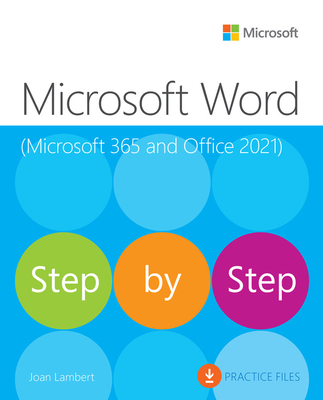
Microsoft Word Step by Step (Office 2021 and Microsoft 365)
| AUTHOR | Lambert, Joan |
| PUBLISHER | Microsoft Press (05/21/2023) |
| PRODUCT TYPE | Paperback (Paperback) |
Description
The quick way to learn Microsoft Word 365 and Word 2021 for Windows!
This is learning made easy. Get more done quickly with Microsoft Word. Jump in wherever you need answers-- brisk lessons and detailed screenshots show you exactly what to do, step by step.
- Create great-looking, well-organized, accessible documents to enhance communication
- Use headings, bookmarks, and footnotes for more intuitive access to knowledge
- Present complex information in diagrams and charts
- Illustrate concepts by using professional stock images, 3D models, icons, and screen clippings
- Collaborate with other Word and Word for the web users to create and edit documents in real time, tracking changes for review and automatically saving file versions
- Enforce security and privacy in electronic documents
- Quickly build tables of contents, indexes, and bibliographies
- Generate personalized emails, letters, labels, envelopes, directories, and catalogs from various data sources
- Supercharge efficiency with custom styles, themes, templates, and building blocks
- Look up just the tasks and lessons you need
Show More
Product Format
Product Details
ISBN-13:
9780137522729
ISBN-10:
013752272X
Binding:
Paperback or Softback (Trade Paperback (Us))
Content Language:
English
More Product Details
Page Count:
656
Carton Quantity:
5
Product Dimensions:
7.43 x 1.32 x 9.15 inches
Weight:
2.41 pound(s)
Feature Codes:
Index,
Price on Product,
Glossary,
Illustrated
Country of Origin:
US
Subject Information
BISAC Categories
Computers | Business & Productivity Software - Office Suites
Computers | Business & Productivity Software - Word Processing
Dewey Decimal:
005.52
Library of Congress Control Number:
2023935870
Descriptions, Reviews, Etc.
publisher marketing
The quick way to learn Microsoft Word 365 and Word 2021 for Windows!
This is learning made easy. Get more done quickly with Microsoft Word. Jump in wherever you need answers-- brisk lessons and detailed screenshots show you exactly what to do, step by step.
- Create great-looking, well-organized, accessible documents to enhance communication
- Use headings, bookmarks, and footnotes for more intuitive access to knowledge
- Present complex information in diagrams and charts
- Illustrate concepts by using professional stock images, 3D models, icons, and screen clippings
- Collaborate with other Word and Word for the web users to create and edit documents in real time, tracking changes for review and automatically saving file versions
- Enforce security and privacy in electronic documents
- Quickly build tables of contents, indexes, and bibliographies
- Generate personalized emails, letters, labels, envelopes, directories, and catalogs from various data sources
- Supercharge efficiency with custom styles, themes, templates, and building blocks
- Look up just the tasks and lessons you need
Show More
Author:
Lambert, Joan
Joan Lambert has worked in the training and certification industry since 1997. As president of Online Training Solutions, Inc. (OTSI), Joan is responsible for guiding the translation of technical information and requirements into useful, relevant, and measurable training, learning, and certification deliverables. An MCTS, MOM, MCAS, and MCT, Joan is the author or coauthor of more than two dozen books about Windows and Microsoft Office (for Windows and for Mac).
Show More
List Price $39.99
Your Price
$39.59