
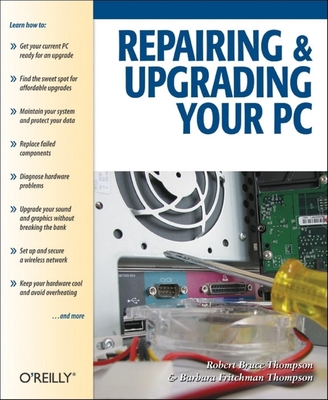
Repairing and Upgrading Your PC
| AUTHOR | Thompson, Robert Bruce; Thompson, Robert; Thompson, Barbara Fritchman et al. |
| PUBLISHER | Make Community, LLC (04/11/2006) |
| PRODUCT TYPE | Paperback (Paperback) |
Which upgrades offer the best bang for the buck? How do you pinpoint the faulty component that's making your system freeze? What about compatibility issues?
Get ready to get unstuck and get your PC running fast and running right. Repairing and Upgrading Your PC delivers start-to-finish instructions, simple enough for even the most inexperienced PC owner, for troubleshooting, repairing, and upgrading your computer. Written by hardware experts Robert Bruce Thompson and Barbara Fritchman Thompson, this book covers it all: how to troubleshoot a troublesome PC, how to identify which components make sense for an upgrade, and how to tear it all down and put it back together. This book shows how to repair and upgrade all of your PC's essential components:
- Motherboard, CPU, and Memory. Choose the optimal match of these core components to keep your PC running at top speed
- Hard Drive, Optical Drive, and Removable Storage
- Give your computer what it needs for long-term and short-term storage
- Audio and Video. Enhance your computing experience with the right sound and graphics devices for your needs
- Input Devices. Pick the best keyboard and mouse to keep your hands happy and healthy
- Networking. Set up secure wireless networking to keep the bits flowing between your computers and the outside world
- Cases and Power Supplies. Keep everything running cool and reliably
With its straightforward language, clear instructions, and extensive illustrations, this book makes it a breeze for PC owners of any skill level to work on their computer.
Which upgrades offer the best bang for the buck? How do you pinpoint the faulty component that's making your system freeze? What about compatibility issues?
Get ready to get unstuck and get your PC running fast and running right. Repairing and Upgrading Your PC delivers start-to-finish instructions, simple enough for even the most inexperienced PC owner, for troubleshooting, repairing, and upgrading your computer. Written by hardware experts Robert Bruce Thompson and Barbara Fritchman Thompson, this book covers it all: how to troubleshoot a troublesome PC, how to identify which components make sense for an upgrade, and how to tear it all down and put it back together. This book shows how to repair and upgrade all of your PC's essential components:
- Motherboard, CPU, and Memory. Choose the optimal match of these core components to keep your PC running at top speed
- Hard Drive, Optical Drive, and Removable Storage
- Give your computer what it needs for long-term and short-term storage
- Audio and Video. Enhance your computing experience with the right sound and graphics devices for your needs
- Input Devices. Pick the best keyboard and mouse to keep your hands happy and healthy
- Networking. Set up secure wireless networking to keep the bits flowing between your computers and the outside world
- Cases and Power Supplies. Keep everything running cool and reliably
With its straightforward language, clear instructions, and extensive illustrations, this book makes it a breeze for PC owners of any skill level to work on their computer.