
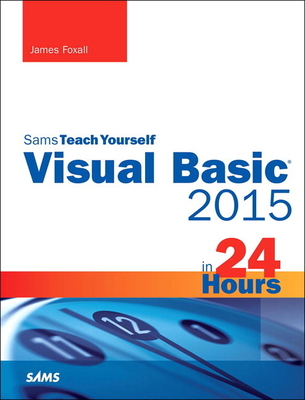
Visual Basic 2015 in 24 Hours, Sams Teach Yourself
| AUTHOR | Foxall, James |
| PUBLISHER | Sams Publishing (08/15/2015) |
| PRODUCT TYPE | Paperback (Paperback) |
Description
In just 24 sessions of one hour or less, you'll learn how to build complete, reliable, and modern Windows applications with Microsoft(R) Visual Basic(R) 2015. Using a straightforward, step-by-step approach, each lesson builds on what you've already learned, giving you a strong foundation for success with every aspect of VB 2015 development. Notes present interesting pieces of information. Tips offer advice or teach an easier way to do something. Cautions advise you about potential problems and help you steer clear of disaster. Learn How To
Who Should Read This Book Those who have little or no programming experience or who might be picking up Visual Basic as a second language. Bug Alert Description: Changing the startup form's name in a VB WinForms app does not update the "Startup form" #4517 Explanation: In the latest Visual Basic update on GitHub, Microsoft accidentally introduced a significant bug that you should be aware of. In the Visual Basic project properties dialog on one of the tabs (Application), is a drop down box for selecting the "startup object". This can be either a Main method or a System.Windows.Forms instance (or System.Windows.Window for WPF). When you do a rename on a form (say from the code editor in source or from the solution explorer) currently set as the startup form the rename doesn't cascade to the startup object project property cause the project to enter an invalid state where the user must now manually reset this project property from the now nonexistent Form to the new name. This is a huge annoyance. The fix for the bug (until Microsoft addresses) can be found here:
http: //www.jamesfo
- Master VB 2015 by building a complete feature-rich application
- Navigate VB 2015 and discover its new shortcuts
- Work with objects, collections, and events
- Build attractive, highly-functional user interfaces
- Make the most of forms, controls, modules, and procedures
- Efficiently store data and program databases
- Make decisions in code
- Use powerful object-oriented techniques
- Work with graphics and text files
- Manipulate filesystems and the Registry
- Add email support
- Create efficient modules and reusable procedures
- Interact effectively with users
- Write code to preview and print documents
- Debug with VB 2015's improved breakpoint features
- Distribute your software
Who Should Read This Book Those who have little or no programming experience or who might be picking up Visual Basic as a second language. Bug Alert Description: Changing the startup form's name in a VB WinForms app does not update the "Startup form" #4517 Explanation: In the latest Visual Basic update on GitHub, Microsoft accidentally introduced a significant bug that you should be aware of. In the Visual Basic project properties dialog on one of the tabs (Application), is a drop down box for selecting the "startup object". This can be either a Main method or a System.Windows.Forms instance (or System.Windows.Window for WPF). When you do a rename on a form (say from the code editor in source or from the solution explorer) currently set as the startup form the rename doesn't cascade to the startup object project property cause the project to enter an invalid state where the user must now manually reset this project property from the now nonexistent Form to the new name. This is a huge annoyance. The fix for the bug (until Microsoft addresses) can be found here:
http: //www.jamesfo
Show More
Product Format
Product Details
ISBN-13:
9780672337451
ISBN-10:
0672337452
Binding:
Paperback or Softback (Trade Paperback (Us))
Content Language:
English
More Product Details
Page Count:
608
Carton Quantity:
12
Product Dimensions:
7.40 x 1.30 x 9.00 inches
Weight:
2.35 pound(s)
Feature Codes:
Index,
Price on Product,
Illustrated
Country of Origin:
US
Subject Information
BISAC Categories
Computers | Languages - Visual BASIC
Computers | Programming - Microsoft
Computers | Software Development & Engineering - General
Dewey Decimal:
005.133
Library of Congress Control Number:
2015907842
Descriptions, Reviews, Etc.
publisher marketing
In just 24 sessions of one hour or less, you'll learn how to build complete, reliable, and modern Windows applications with Microsoft(R) Visual Basic(R) 2015. Using a straightforward, step-by-step approach, each lesson builds on what you've already learned, giving you a strong foundation for success with every aspect of VB 2015 development. Notes present interesting pieces of information. Tips offer advice or teach an easier way to do something. Cautions advise you about potential problems and help you steer clear of disaster. Learn How To
Who Should Read This Book Those who have little or no programming experience or who might be picking up Visual Basic as a second language. Bug Alert Description: Changing the startup form's name in a VB WinForms app does not update the "Startup form" #4517 Explanation: In the latest Visual Basic update on GitHub, Microsoft accidentally introduced a significant bug that you should be aware of. In the Visual Basic project properties dialog on one of the tabs (Application), is a drop down box for selecting the "startup object". This can be either a Main method or a System.Windows.Forms instance (or System.Windows.Window for WPF). When you do a rename on a form (say from the code editor in source or from the solution explorer) currently set as the startup form the rename doesn't cascade to the startup object project property cause the project to enter an invalid state where the user must now manually reset this project property from the now nonexistent Form to the new name. This is a huge annoyance. The fix for the bug (until Microsoft addresses) can be found here:
http: //www.jamesfo
- Master VB 2015 by building a complete feature-rich application
- Navigate VB 2015 and discover its new shortcuts
- Work with objects, collections, and events
- Build attractive, highly-functional user interfaces
- Make the most of forms, controls, modules, and procedures
- Efficiently store data and program databases
- Make decisions in code
- Use powerful object-oriented techniques
- Work with graphics and text files
- Manipulate filesystems and the Registry
- Add email support
- Create efficient modules and reusable procedures
- Interact effectively with users
- Write code to preview and print documents
- Debug with VB 2015's improved breakpoint features
- Distribute your software
Who Should Read This Book Those who have little or no programming experience or who might be picking up Visual Basic as a second language. Bug Alert Description: Changing the startup form's name in a VB WinForms app does not update the "Startup form" #4517 Explanation: In the latest Visual Basic update on GitHub, Microsoft accidentally introduced a significant bug that you should be aware of. In the Visual Basic project properties dialog on one of the tabs (Application), is a drop down box for selecting the "startup object". This can be either a Main method or a System.Windows.Forms instance (or System.Windows.Window for WPF). When you do a rename on a form (say from the code editor in source or from the solution explorer) currently set as the startup form the rename doesn't cascade to the startup object project property cause the project to enter an invalid state where the user must now manually reset this project property from the now nonexistent Form to the new name. This is a huge annoyance. The fix for the bug (until Microsoft addresses) can be found here:
http: //www.jamesfo
Show More
Author:
Foxall, James
James Foxall is vice president of Tigerpaw Software, Inc. (www.tigerpawsoftware.com), a Bellevue, Nebraska, Microsoft Certified Partner specializing in commercial database applications. He manages the development, support, training, and education of Tigerpaw CRM+, an award-winning CRM product designed to automate contact management, marketing, service and repair, proposal generation, inventory control, and purchasing. At the start of 2008, the current release of Tigerpaw CRM+ had more than 16,000 licensed users. Foxall's experience in creating certified Office-compatible software has made him an authority on application interface and behavior standards of applications for the Microsoft Windows and Microsoft Office environments. Foxall has been writing commercial production Visual Basic code for more than 14 years, in both single-programmer and multiple-programmer environments. He's the author of numerous books, including "Practical Standards for Microsoft Visual Basic "and "MCSD in a Nutshell: The Visual Basic Exams," He also has written articles for "Access-Office-VBA Advisor "and "Visual Basic Programmer's Journal," Foxall has a bachelor's degree in management of information systems (MIS). He is a Microsoft Certified Solution Developer and an international speaker on Microsoft Visual Basic. When not programming or writing about programming, he enjoys spending time with his family, playing guitar, listening to amazing bands like Pink Floyd and OSI, and playing computer games. You can reach him at www.jamesfoxall.com/forums.
Show More
List Price $34.99
Your Price
$34.64