
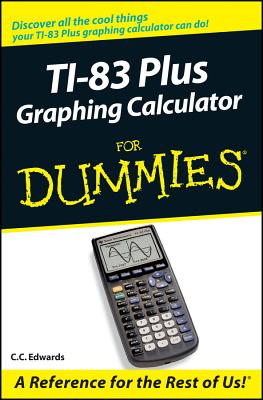
TI-83 Plus Graphing Calculator for Dummies
| AUTHOR | Edwards, C. C. |
| PUBLISHER | For Dummies (12/19/2003) |
| PRODUCT TYPE | Paperback (Paperback) |
- Perform basic arithmetic operations
- Use Zoom and panning to get the best screen display
- Use all the functions in the Math menu, including the four submenus: MATH, NUM, CPS, and PRB
- Use the fantastic Finance application to decide whether to lease or get a loan and buy, calculate the best interest, and more
- Graph and analyze functions by tracing the graph or by creating a table of functional values, including graphing piecewise-defined and trigonometric functions
- Explore and evaluate functions, including how to find the value, the zeros, the point of intersection of two functions, and more
- Draw on a graph, including line segments, circles, and functions, write text on a graph, and do freehand drawing
- Work with sequences, parametric equations, and polar equations
- Use the Math Probability menu to evaluate permutations and combinations
- Enter statistical data and graph it as a scatter plot, histogram, or box plot, calculate the median and quartiles, and more
- Deal with matrices, including finding the inverse, transpose, and determinant and using matrices to solve a system of linear equations
Once you discover all you can do with your TI-83 Plus Graphing Calculator, you'll find out how to make it do more This guide shows you how to download and install the free TI Connect software to connect your calculator to your computer, and how to link it to other calculators and transfer files. It shows you how to help yourself to more than 40 applications you can download from the TI Web site, and most of them are free. You can choose from Advanced Finance, CellSheet, that turns your calculator into a spread sheet, NoteFolio that turns it into a word processor, Organizer that lets you schedule events, create to-do lists, save phone numbers and e-mail addresses, and more.
Get this book and discover how your TI-83 Plus Graphing Calculator can solve all kinds of problems for you.
Do simple and complex calculations, analyze loans, even send files to your PC
Nothing can crunch numbers like your TI-83 Plus, and this handy guide makes the crunching easy! In no time you'll be punching those buttons to convert decimals to fractions, find factorials, compare interest rates, graph and analyze functions and sequences, tame random numbers, manage matrices, and even have your calculator sharing stuff with your PC.
The Dummies Way
- Explanations in plain English
- "Get in, get out" information
- Icons and other navigational aids
- Tear-out cheat sheet
- Top ten lists
- A dash of humor and fun
Discover how to:
- Solve equations and systems of equations
- Graph functions, parametric equations, and sequences
- Use complex numbers
- Multiply, reduce, and solve matrices
- Add applications to your calculator
- Perform basic arithmetic operations
- Use Zoom and panning to get the best screen display
- Use all the functions in the Math menu, including the four submenus: MATH, NUM, CPS, and PRB
- Use the fantastic Finance application to decide whether to lease or get a loan and buy, calculate the best interest, and more
- Graph and analyze functions by tracing the graph or by creating a table of functional values, including graphing piecewise-defined and trigonometric functions
- Explore and evaluate functions, including how to find the value, the zeros, the point of intersection of two functions, and more
- Draw on a graph, including line segments, circles, and functions, write text on a graph, and do freehand drawing
- Work with sequences, parametric equations, and polar equations
- Use the Math Probability menu to evaluate permutations and combinations
- Enter statistical data and graph it as a scatter plot, histogram, or box plot, calculate the median and quartiles, and more
- Deal with matrices, including finding the inverse, transpose, and determinant and using matrices to solve a system of linear equations
Once you discover all you can do with your TI-83 Plus Graphing Calculator, you'll find out how to make it do more This guide shows you how to download and install the free TI Connect software to connect your calculator to your computer, and how to link it to other calculators and transfer files. It shows you how to help yourself to more than 40 applications you can download from the TI Web site, and most of them are free. You can choose from Advanced Finance, CellSheet, that turns your calculator into a spread sheet, NoteFolio that turns it into a word processor, Organizer that lets you schedule events, create to-do lists, save phone numbers and e-mail addresses, and more.
Get this book and discover how your TI-83 Plus Graphing Calculator can solve all kinds of problems for you.
Just barely five feet tall, CC, as her friends call her, has three goals in life: to be six inches taller, to have naturally curly hair, and to be independently wealthy. As yet, she is nowhere close to meeting any of these goals. When she retires, she plans to become an old-lady carpenter.