
Back to Search
ISBN 9780789735973 is out of print and is currently unavailable, alternate formats (if applicable) are shown below.
Available options are listed below:

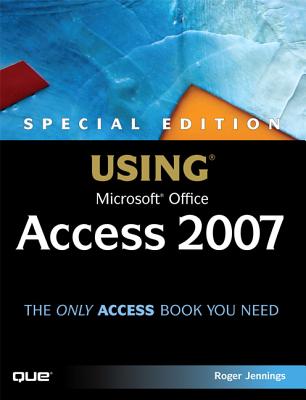
Jennings: Spec Ed Usng Msaccess07_p1 [With CDROM] (Out of print)

AUTHOR Jennings, Roger
PUBLISHER Que (04/27/2007)
PRODUCT TYPE Paperback (Paperback)

Description
This book offers you comprehensive, information on using the new version of Access. Not only updated for the latest version, new chapters have been added on application automation with Access macros and collaboration with Microsoft SharePoint Team Server, both of which are hot topics. All chapters are updated for the transition from Jet to the new Access database engine. Detailed, step-by-step instructions with icons guide you through Access through table design, data addition, importing data from external sources, query design and execution, and designing data entry forms and printed reports.

FM

Introduction

I Getting Acquainted with Access 2007

1 Access 2007 for Access 200x Users: What's New

2 Building Simple Tracking Applications

3 Navigating the New Access User Interface

II Learning the Fundamentals of Access

Databases

4 Exploring Relational Database Theory and Practice

5 Working with Access Databases and Tables

6 Entering, Editing, and Validating Access Table Data

7 Sorting, Finding, and Filtering Data

8 Linking, Importing, and Exporting Data

III Transforming Data with Queries and

PivotTables

9 Designing Queries for Access Databases

10 Understanding Access Operators and Expressions

11 Creating Multitable and Crosstab Queries

12 Working with PivotTable and PivotChart Views

13 Creating and Updating Access Tables with Action

Queries

IV Designing Forms and Reports

14 Creating and Using Basic Access Forms

15 Designing Custom Multitable Forms

16 Working with Simple Reports and Mailing Labels

17 Preparing Advanced Reports

18 Adding Graphs, PivotCharts, and PivotTables

V Moving to Networked Multiuser Applications

19 Linking Access Front Ends to Access and

Client/Server Tables

20 Exploring Access Data Projects and SQL

Server 2005

21 Moving from Access Queries to Transact-SQL

22 Upsizing Access Applications to Access Data

Projects

VI Collaborating with Access Data

23 Importing and Exporting Web Pages

24 Integrating with XML and InfoPath 2007

25 Collaborating with Windows SharePoint Services

VII Programming and Converting Access

Applications

26 Automating Access Applications with Macros 2007

27 Learning Visual Basic for Applications

28 Handling Events with VBA and Macros

29 Programming Combo and List Boxes

30 Understanding Data Access Objects, OLE DB,

and ADO

31 Upgrading 200X Applications to Access 2007

VIII Appendix

A Glossary

Index

Show More
Product Format
Product Details
ISBN-13: 9780789735973
ISBN-10: 0789735970
Content Language: English
More Product Details
Page Count: 1460
Carton Quantity: 6
Product Dimensions: 7.14 x 2.40 x 8.94 inches
Weight: 5.09 pound(s)
Feature Codes: Index, Price on Product, Table of Contents, Glossary, Illustrated
Country of Origin: US
Subject Information
BISAC Categories
Computers | Business & Productivity Software - Databases
Computers | Database Administration & Management
Dewey Decimal: 005.756
Library of Congress Control Number: 2007008959
Descriptions, Reviews, Etc.
annotation
Updated for the latest version of Access, new chapters have been added on application automation with Access macros and collaboration with Microsoft SharePoint Team Server, both of which are hot topics. All chapters are updated for the transition from Jet to the new Access database engine.
Show More
jacket back
This book offers you comprehensive, information on using the new version of Access. Not only updated for the latest version, new chapters have been added on application automation with Access macros and collaboration with Microsoft SharePoint Team Server, both of which are hot topics. All chapters are updated for the transition from Jet to the new Access database engine. Detailed, step-by-step instructions with icons guide you through Access through table design, data addition, importing data from external sources, query design and execution, and designing data entry forms and printed reports.

FM

Introduction

I Getting Acquainted with Access 2007

1 Access 2007 for Access 200x Users: What's New

2 Building Simple Tracking Applications

3 Navigating the New Access User Interface

II Learning the Fundamentals of Access

Databases

4 Exploring Relational Database Theory and Practice

5 Working with Access Databases and Tables

6 Entering, Editing, and Validating Access Table Data

7 Sorting, Finding, and Filtering Data

8 Linking, Importing, and Exporting Data

III Transforming Data with Queries and

PivotTables

9 Designing Queries for Access Databases

10 Understanding Access Operators and Expressions

11 Creating Multitable and Crosstab Queries

12 Working with PivotTable and PivotChart Views

13 Creating and Updating Access Tables with Action

Queries

IV Designing Forms and Reports

14 Creating and Using Basic Access Forms

15 Designing Custom Multitable Forms

16 Working with Simple Reports and Mailing Labels

17 Preparing Advanced Reports

18 Adding Graphs, PivotCharts, and PivotTables

V Moving to Networked Multiuser Applications

19 Linking Access Front Ends to Access and

Client/Server Tables

20 Exploring Access Data Projects and SQL

Server 2005

21 Moving from Access Queries to Transact-SQL

22 Upsizing Access Applications to Access Data

Projects

VI Collaborating with Access Data

23 Importing and Exporting Web Pages

24 Integrating with XML and InfoPath 2007

25 Collaborating with Windows SharePoint Services

VII Programming and Converting Access

Applications

26 Automating Access Applications with Macros 2007

27 Learning Visual Basic for Applications

28 Handling Events with VBA and Macros

29 Programming Combo and List Boxes

30 Understanding Data Access Objects, OLE DB,

and ADO

31 Upgrading 200X Applications to Access 2007

VIII Appendix

A Glossary

Index

Show More
publisher marketing
This book offers you comprehensive, information on using the new version of Access. Not only updated for the latest version, new chapters have been added on application automation with Access macros and collaboration with Microsoft SharePoint Team Server, both of which are hot topics. All chapters are updated for the transition from Jet to the new Access database engine. Detailed, step-by-step instructions with icons guide you through Access through table design, data addition, importing data from external sources, query design and execution, and designing data entry forms and printed reports.

FM

Introduction

I Getting Acquainted with Access 2007

1 Access 2007 for Access 200x Users: What's New

2 Building Simple Tracking Applications

3 Navigating the New Access User Interface

II Learning the Fundamentals of Access

Databases

4 Exploring Relational Database Theory and Practice

5 Working with Access Databases and Tables

6 Entering, Editing, and Validating Access Table Data

7 Sorting, Finding, and Filtering Data

8 Linking, Importing, and Exporting Data

III Transforming Data with Queries and

PivotTables

9 Designing Queries for Access Databases

10 Understanding Access Operators and Expressions

11 Creating Multitable and Crosstab Queries

12 Working with PivotTable and PivotChart Views

13 Creating and Updating Access Tables with Action

Queries

IV Designing Forms and Reports

14 Creating and Using Basic Access Forms

15 Designing Custom Multitable Forms

16 Working with Simple Reports and Mailing Labels

17 Preparing Advanced Reports

18 Adding Graphs, PivotCharts, and PivotTables

V Moving to Networked Multiuser Applications

19 Linking Access Front Ends to Access and

Client/Server Tables

20 Exploring Access Data Projects and SQL

Server 2005

21 Moving from Access Queries to Transact-SQL

22 Upsizing Access Applications to Access Data

Projects

VI Collaborating with Access Data

23 Importing and Exporting Web Pages

24 Integrating with XML and InfoPath 2007

25 Collaborating with Windows SharePoint Services

VII Programming and Converting Access

Applications

26 Automating Access Applications with Macros 2007

27 Learning Visual Basic for Applications

28 Handling Events with VBA and Macros

29 Programming Combo and List Boxes

30 Understanding Data Access Objects, OLE DB,

and ADO

31 Upgrading 200X Applications to Access 2007

VIII Appendix

A Glossary

Index

Show More

Author: Jennings, Roger
Roger Jennings is an author and consultant specializing in Windows database applications. He was a technical beta tester for all nine editions of Microsoft Access, SQL Server 6.5, 7.0, 2000, and 2005, every release of Visual Basic since version 2.0, as well as Windows 3.1 and all subsequent Microsoft Windows operating systems. He also was one of the founding members of Microsoft's former Access Insiders group. Roger's books have more than 1.25 million English copies in print and have been translated into more than 20 languages. He is the author of Que's "Special Edition Using Microsoft Access "titles for Access versions 1.0, 1.1, 2.0, 95, 97 (first and second editions), 2000, 2002, and 2003, and "Platinum Edition Using Access 97," He also wrote Que's "Special Edition Using Windows NT Server 4," "Special Edition Using Windows 2000 Server," "Unveiling Windows 95,"" Access Hot Tips," and "Discover Windows 3.1 Multimedia," For Pearson Education's Sams imprint, he has written two editions of "Access Developer's Guide "and three editions of" Database Developers Guide with Visual Basic," Additionally, he was the series editor for the" Roger Jennings' Database Workshop "titles. Roger is a contributing editor for the Redmond Media Group's "Visual Studio Magazine "and a columnist for the group's .NET"Insight "newsletter. Roger co-authored with Microsoft's Greg Nelson "A Client/Server Application: From Concept to Reality," a Tech*Ed presentation and white paper on Access 2.0 that was featured in the "Microsoft Developer Network News," An Access 2007 version of the application described in the white paper is located in the \SEUA12\Chaptr15 folder of the accompanying CD-ROM. Roger has more than 25years of computer-related experience, beginning with his work on the Wang 700 desktop calculator/computer. He is a principal of OakLeaf Systems, a Northern California software consulting firm, and is the author of the OakLeaf Systems blog (http: //oakleafblog.blogspot.com). His OakLeaf U.S. Code of Federal Regulations (CFR) XML Web services demonstration project won the 2001 Microsoft .NET Best Award for horizontal solutions. You can contact Roger at Roger_Jennings@compuserve.com.
Show More
List Price $49.99
Your Price  $49.49
Paperback