
ISBN 9780789736406 is out of print and is currently unavailable, alternate formats (if applicable) are shown below.
Available options are listed below:
Available options are listed below:
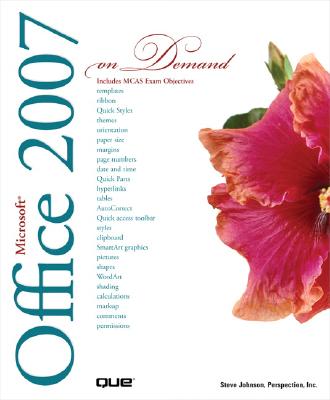
Microsoft Office 2007 on Demand (Out of print)
| AUTHOR | Perspection Inc; Johnson, Steve |
| PUBLISHER | Que (12/28/2006) |
| PRODUCT TYPE | Paperback (Paperback) |
Description
How to Use - Office: Organize information and add impact with clip art, SmartArt diagrams, tables, and charts with a new results-oriented interface - Word: Create great-looking documents faster using themes, styles, and templates - Excel: Use organizing, processing, and presenting tools to create data in Excel - PowerPoint: Create powerful presentations faster using ready-made design templates and themes - Outlook: Use tools for creating and managing your e-mail, calendar, contacts, and tasks - Publisher: Use task panes to quickly create a brochure or a newsletter without being a designer - SharePoint: Collaborate and share documents and information - Prepare for the Microsoft Certified Application Specialist exam - Practice your new skills with the useful workshops inside On the Web This book uses real-world examples to give you a context in which to use a task. This book also includes workshops to help you put together individual tasks into projects. The Office example files that you need for project tasks are available at www.perspection.com Perspection has written and produced books on a variety of computer software--including Microsoft Office 2003 and XP, Microsoft Windows XP, Apple Mac OS X Panther, Adobe Photoshop CS2, Macromedia Flash 8, Macromedia Director MX, and Macromedia Fireworks--and Web publishing. In 1991, after working for Apple Computer and Microsoft, Steve Johnson founded Perspection, Inc. Perspection is committed to providing information and training to help people use software more effectively. Perspection has written more than 80 computer books, and sold more than 5 million copies. Includes MCAS Exam Objectives This courseware meets the objectives for the Microsoft Certified Application Specialist (MCAS). Upon completion of this courseware, you may be prepared to take the exam for MCAS qualification. To learn more about becoming a Microsoft Certified Application Specialist, visit www.microsoft.com. Chapter 1 Getting Started with Office 1 Chapter 2 Using Shared Office Tools 33 Chapter 3 Adding Art to Office Documents 57 Chapter 4 Adding Shapes to Office Documents 93 Chapter 5 Formatting Office Documents 115 Chapter 6 Creating a Document with Word 131 Chapter 7 Formatting a Document with Word 153 Chapter 8 Enhancing a Document with Word 173 Chapter 9 Creating a Worksheet with Excel 211 Chapter 10 Building a Worksheet with Excel 239 Chapter 11 Designing a Worksheet with Excel 281 Chapter 12 Creating a Presentation with PowerPoint 305 Chapter 13 Delivering a Presentation with PowerPoint 343 Chapter 14 Creating a Database with Access 375 Chapter 15 Locating and Managing Data with Access 405 Chapter 16 Presenting Data with Access 423 Chapter 17 Communication with Outlook 447 Chapter 18 Managing Information with Outlook 489 Chapter 19 Creating a Publication with Publisher 519 Chapter 20 Designing a Publication with Publisher 537 Chapter 21 Publishing Office Documents on the Web 557 Chapter 22 Protecting and Securing Office Documents 575 Chapter 23 Reviewing and Sharing Office Documents 605 Chapter 24 Expanding Office Functionality 647 New Features 673 Microsoft Certified Applications Specialist 683
Show More
Product Format
Product Details
ISBN-13:
9780789736406
ISBN-10:
0789736403
Binding:
Paperback or Softback (Trade Paperback (Us))
Content Language:
English
More Product Details
Page Count:
728
Carton Quantity:
12
Product Dimensions:
7.56 x 1.24 x 9.08 inches
Weight:
2.76 pound(s)
Feature Codes:
Index,
Price on Product - Canadian,
Price on Product,
Table of Contents,
Illustrated
Country of Origin:
US
Subject Information
BISAC Categories
Computers | Business & Productivity Software - Office Suites
Dewey Decimal:
005.5
Library of Congress Control Number:
2006037855
Descriptions, Reviews, Etc.
annotation
Step-by-step instructions make this the ultimate full-color, task-oriented guide for those who want to become Office 2007 power users. The book offers readers a fast, visual way to solve problems, get work done, and prepare for the Microsoft Office Specialist (MOS) certification.
Show More
jacket back
How to Use - Office: Organize information and add impact with clip art, SmartArt diagrams, tables, and charts with a new results-oriented interface - Word: Create great-looking documents faster using themes, styles, and templates - Excel: Use organizing, processing, and presenting tools to create data in Excel - PowerPoint: Create powerful presentations faster using ready-made design templates and themes - Outlook: Use tools for creating and managing your e-mail, calendar, contacts, and tasks - Publisher: Use task panes to quickly create a brochure or a newsletter without being a designer - SharePoint: Collaborate and share documents and information - Prepare for the Microsoft Certified Application Specialist exam - Practice your new skills with the useful workshops inside On the Web This book uses real-world examples to give you a context in which to use a task. This book also includes workshops to help you put together individual tasks into projects. The Office example files that you need for project tasks are available at www.perspection.com Perspection has written and produced books on a variety of computer software-including Microsoft Office 2003 and XP, Microsoft Windows XP, Apple Mac OS X Panther, Adobe Photoshop CS2, Macromedia Flash 8, Macromedia Director MX, and Macromedia Fireworks-and Web publishing. In 1991, after working for Apple Computer and Microsoft, Steve Johnson founded Perspection, Inc. Perspection is committed to providing information and training to help people use software more effectively. Perspection has written more than 80 computer books, and sold more than 5 million copies. Includes MCAS Exam Objectives! This courseware meets the objectives for the Microsoft Certified Application Specialist (MCAS). Upon completion of this courseware, you may be prepared to take the exam for MCAS qualification. To learn more about becoming a Microsoft Certified Application Specialist, visit www.microsoft.com. Chapter 1 Getting Started with Office 1 Chapter 2 Using Shared Office Tools 33 Chapter 3 Adding Art to Office Documents 57 Chapter 4 Adding Shapes to Office Documents 93 Chapter 5 Formatting Office Documents 115 Chapter 6 Creating a Document with Word 131 Chapter 7 Formatting a Document with Word 153 Chapter 8 Enhancing a Document with Word 173 Chapter 9 Creating a Worksheet with Excel 211 Chapter 10 Building a Worksheet with Excel 239 Chapter 11 Designing a Worksheet with Excel 281 Chapter 12 Creating a Presentation with PowerPoint 305 Chapter 13 Delivering a Presentation with PowerPoint 343 Chapter 14 Creating a Database with Access 375 Chapter 15 Locating and Managing Data with Access 405 Chapter 16 Presenting Data with Access 423 Chapter 17 Communication with Outlook 447 Chapter 18 Managing Information with Outlook 489 Chapter 19 Creating a Publication with Publisher 519 Chapter 20 Designing a Publication with Publisher 537 Chapter 21 Publishing Office Documents on the Web 557 Chapter 22 Protecting and Securing Office Documents 575 Chapter 23 Reviewing and Sharing Office Documents 605 Chapter 24 Expanding Office Functionality 647 New Features 673 Microsoft Certified Applications Specialist 683
Show More
publisher marketing
How to Use - Office: Organize information and add impact with clip art, SmartArt diagrams, tables, and charts with a new results-oriented interface - Word: Create great-looking documents faster using themes, styles, and templates - Excel: Use organizing, processing, and presenting tools to create data in Excel - PowerPoint: Create powerful presentations faster using ready-made design templates and themes - Outlook: Use tools for creating and managing your e-mail, calendar, contacts, and tasks - Publisher: Use task panes to quickly create a brochure or a newsletter without being a designer - SharePoint: Collaborate and share documents and information - Prepare for the Microsoft Certified Application Specialist exam - Practice your new skills with the useful workshops inside On the Web This book uses real-world examples to give you a context in which to use a task. This book also includes workshops to help you put together individual tasks into projects. The Office example files that you need for project tasks are available at www.perspection.com Perspection has written and produced books on a variety of computer software--including Microsoft Office 2003 and XP, Microsoft Windows XP, Apple Mac OS X Panther, Adobe Photoshop CS2, Macromedia Flash 8, Macromedia Director MX, and Macromedia Fireworks--and Web publishing. In 1991, after working for Apple Computer and Microsoft, Steve Johnson founded Perspection, Inc. Perspection is committed to providing information and training to help people use software more effectively. Perspection has written more than 80 computer books, and sold more than 5 million copies. Includes MCAS Exam Objectives This courseware meets the objectives for the Microsoft Certified Application Specialist (MCAS). Upon completion of this courseware, you may be prepared to take the exam for MCAS qualification. To learn more about becoming a Microsoft Certified Application Specialist, visit www.microsoft.com. Chapter 1 Getting Started with Office 1 Chapter 2 Using Shared Office Tools 33 Chapter 3 Adding Art to Office Documents 57 Chapter 4 Adding Shapes to Office Documents 93 Chapter 5 Formatting Office Documents 115 Chapter 6 Creating a Document with Word 131 Chapter 7 Formatting a Document with Word 153 Chapter 8 Enhancing a Document with Word 173 Chapter 9 Creating a Worksheet with Excel 211 Chapter 10 Building a Worksheet with Excel 239 Chapter 11 Designing a Worksheet with Excel 281 Chapter 12 Creating a Presentation with PowerPoint 305 Chapter 13 Delivering a Presentation with PowerPoint 343 Chapter 14 Creating a Database with Access 375 Chapter 15 Locating and Managing Data with Access 405 Chapter 16 Presenting Data with Access 423 Chapter 17 Communication with Outlook 447 Chapter 18 Managing Information with Outlook 489 Chapter 19 Creating a Publication with Publisher 519 Chapter 20 Designing a Publication with Publisher 537 Chapter 21 Publishing Office Documents on the Web 557 Chapter 22 Protecting and Securing Office Documents 575 Chapter 23 Reviewing and Sharing Office Documents 605 Chapter 24 Expanding Office Functionality 647 New Features 673 Microsoft Certified Applications Specialist 683
Show More
List Price $44.99
Your Price
$44.54