
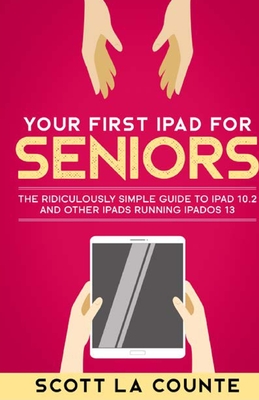
Your First iPad For Seniors: The Ridiculously Simple Guide to iPad 10.2 and Other iPads Running iPadOS 13
| AUTHOR | La Counte, Scott |
| PUBLISHER | SL Editions (11/01/2019) |
| PRODUCT TYPE | Paperback (Paperback) |
Description
You got and iPad Now how on Earth do you use the darn thing?
Do you really need a computer anymore? They're clunky and even laptops aren't as portable as they could be, and they don't have touchscreens. Yes, they're great for running power-hungry applica-tions, but what if you just use it for email, web searching, and organizing pictures? iPad's do all that and more.
If you've used an iPad before, then the OS will be familiar to you, but there's a number of new things you should know about.
If you've never used an iPad, then this book will help you navigate around the device in a way that's easy to understand and not so comprehensive that you feel overwhelmed.
Some of the many topics covered include:
Note: This book is based off of the book Your First iPad but includes extra information on accessibility.
Ready to get started? Let's go
Do you really need a computer anymore? They're clunky and even laptops aren't as portable as they could be, and they don't have touchscreens. Yes, they're great for running power-hungry applica-tions, but what if you just use it for email, web searching, and organizing pictures? iPad's do all that and more.
If you've used an iPad before, then the OS will be familiar to you, but there's a number of new things you should know about.
If you've never used an iPad, then this book will help you navigate around the device in a way that's easy to understand and not so comprehensive that you feel overwhelmed.
Some of the many topics covered include:
- What's new in iPadOS 13
- Cosmetics of an iPad
- Multitasking
- Gestures that you should know
- Using Sidecar
- Using split screen
- Buying, updating, and removing apps
- Apple Services (Apple Music, iCloud, Apple Arcade, Apple TV+, Apple Card)
- Family sharing
- Using Siri
- Taking, editing, organizing and sharing photos
- Using pre-installed apps like Reminders, Maps, Notes, Calendar
- And much, much more
Note: This book is based off of the book Your First iPad but includes extra information on accessibility.
Ready to get started? Let's go
Show More
Product Format
Product Details
ISBN-13:
9781087818016
ISBN-10:
108781801X
Binding:
Paperback or Softback (Trade Paperback (Us))
Content Language:
English
More Product Details
Page Count:
210
Carton Quantity:
34
Product Dimensions:
5.50 x 0.48 x 8.50 inches
Weight:
0.60 pound(s)
Feature Codes:
Maps,
Illustrated
Country of Origin:
US
Subject Information
BISAC Categories
Computers | Hardware - Tablets
Computers | Operating Systems - Mac OS
Computers | Buyer's Guides
Descriptions, Reviews, Etc.
publisher marketing
You got and iPad Now how on Earth do you use the darn thing?
Do you really need a computer anymore? They're clunky and even laptops aren't as portable as they could be, and they don't have touchscreens. Yes, they're great for running power-hungry applica-tions, but what if you just use it for email, web searching, and organizing pictures? iPad's do all that and more.
If you've used an iPad before, then the OS will be familiar to you, but there's a number of new things you should know about.
If you've never used an iPad, then this book will help you navigate around the device in a way that's easy to understand and not so comprehensive that you feel overwhelmed.
Some of the many topics covered include:
Note: This book is based off of the book Your First iPad but includes extra information on accessibility.
Ready to get started? Let's go
Do you really need a computer anymore? They're clunky and even laptops aren't as portable as they could be, and they don't have touchscreens. Yes, they're great for running power-hungry applica-tions, but what if you just use it for email, web searching, and organizing pictures? iPad's do all that and more.
If you've used an iPad before, then the OS will be familiar to you, but there's a number of new things you should know about.
If you've never used an iPad, then this book will help you navigate around the device in a way that's easy to understand and not so comprehensive that you feel overwhelmed.
Some of the many topics covered include:
- What's new in iPadOS 13
- Cosmetics of an iPad
- Multitasking
- Gestures that you should know
- Using Sidecar
- Using split screen
- Buying, updating, and removing apps
- Apple Services (Apple Music, iCloud, Apple Arcade, Apple TV+, Apple Card)
- Family sharing
- Using Siri
- Taking, editing, organizing and sharing photos
- Using pre-installed apps like Reminders, Maps, Notes, Calendar
- And much, much more
Note: This book is based off of the book Your First iPad but includes extra information on accessibility.
Ready to get started? Let's go
Show More
List Price $19.99
Your Price
$19.79