
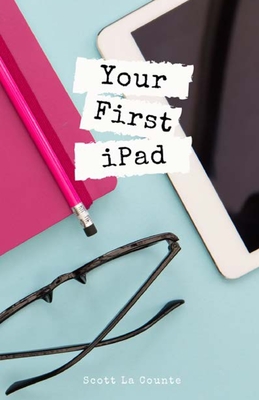
Your First iPad: The Easy Guide to iPad 10.2 and Other iPads Running iPadOS 13
| AUTHOR | La Counte, Scott |
| PUBLISHER | SL Editions (11/01/2019) |
| PRODUCT TYPE | Paperback (Paperback) |
So long iOS Hello iPadOS Now how do you use it?
There's a new operating system in town and it's turning heads. I'm, of course, talking about iPadOS. It's Apple's latest way of bringing Mac and iPad closer together.
If you've used an iPad before, then the OS will be familiar to you, but there's a number of new things you should know about.
If you've never used an iPad, then this book will help you navigate around the device in a way that's easy to understand and not so comprehensive that you feel overwhelmed.
Some of the many topics covered include:
- What's new in iPadOS 13
- Cosmetics of an iPad
- Multitasking
- Gestures that you should know
- Using Sidecar
- Using split screen
- Buying, updating, and removing apps
- Apple Services (Apple Music, iCloud, Apple Arcade, Apple TV+, Apple Card)
- Family sharing
- Using Siri
- Taking, editing, organizing and sharing photos
- Using pre-installed apps like Reminders, Maps, Notes, Calendar
- And much, much more
This book is based off of the iPad 10.2 (the one with a Home button--not the Pro models that have abandoned buttons); that doesn't mean it's not useful if your iPad doesn't have one, but some features will work slightly differently.
Ready to get started? Let's go
So long iOS Hello iPadOS Now how do you use it?
There's a new operating system in town and it's turning heads. I'm, of course, talking about iPadOS. It's Apple's latest way of bringing Mac and iPad closer together.
If you've used an iPad before, then the OS will be familiar to you, but there's a number of new things you should know about.
If you've never used an iPad, then this book will help you navigate around the device in a way that's easy to understand and not so comprehensive that you feel overwhelmed.
Some of the many topics covered include:
- What's new in iPadOS 13
- Cosmetics of an iPad
- Multitasking
- Gestures that you should know
- Using Sidecar
- Using split screen
- Buying, updating, and removing apps
- Apple Services (Apple Music, iCloud, Apple Arcade, Apple TV+, Apple Card)
- Family sharing
- Using Siri
- Taking, editing, organizing and sharing photos
- Using pre-installed apps like Reminders, Maps, Notes, Calendar
- And much, much more
This book is based off of the iPad 10.2 (the one with a Home button--not the Pro models that have abandoned buttons); that doesn't mean it's not useful if your iPad doesn't have one, but some features will work slightly differently.
Ready to get started? Let's go