
Available options are listed below:
iMac for Dummies (Out of print)
| AUTHOR | Chambers, Mark L. |
| PUBLISHER | For Dummies (11/13/2018) |
| PRODUCT TYPE | Paperback (Paperback) |
The perfect companion for iMac users
You've got a great iMac, but now it's time to take things to the next level. This easy-to-use guide shows you how to do stuff like setting up and configuring your iMac along with fun stuff like using the Photos, Messages, and iMovie apps.
You'll also discover how to get down to business with productivity apps like Numbers, Pages, and Keynote. Finally, you'll find help on how to sync everything to iCloud and stay organized with Family Sharing.
- Personalize your iMac and find your way around macOS X
- Surf the web, send Reminders, and make FaceTime video calls
- Store your photos and files with iCloud
- Discover tricks to become more efficient
iMac newbies won't want to be without this easy-to-follow companion guide
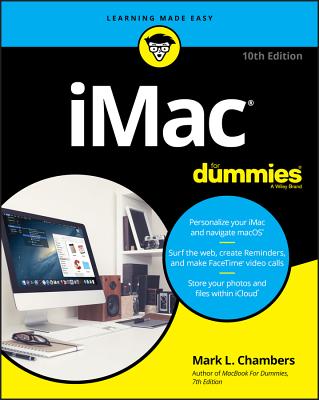
- Personalize your iMac and navigate macOS(R)
- Surf the web, create Reminders, and make FaceTime(R) video calls
- Store your photos and files within iCloud(R)
Maximize your iMac!
That shiny, silvery new iMac or iMac Pro, with its supercharged Intel processor and top-of-the-line macOS Mojave operating system, is one of the best choices you ever made. In this book, Mac maven Mark Chambers shows you iMac basics, then guides you through connecting with iCloud, organizing and editing photos, making music and movies, and mastering mundane tasks like creating documents, spreadsheets, and presentations with built-in software. Perfect for Mac newbies, those upgrading to Mojave, and folks stepping up from Windows!
Inside...
- Setup and configuration tips
- What's new in Mojave
- Modifying system preferences
- Using Spotlight(R) and FaceTime
- Connecting with Safari(R)
- Storing files in iCloud
- Tricks for boosting efficiency
- Maintenance and troubleshooting
The perfect companion for iMac users
You've got a great iMac, but now it's time to take things to the next level. This easy-to-use guide shows you how to do stuff like setting up and configuring your iMac along with fun stuff like using the Photos, Messages, and iMovie apps.
You'll also discover how to get down to business with productivity apps like Numbers, Pages, and Keynote. Finally, you'll find help on how to sync everything to iCloud and stay organized with Family Sharing.
- Personalize your iMac and find your way around macOS X
- Surf the web, send Reminders, and make FaceTime video calls
- Store your photos and files with iCloud
- Discover tricks to become more efficient
iMac newbies won't want to be without this easy-to-follow companion guide