
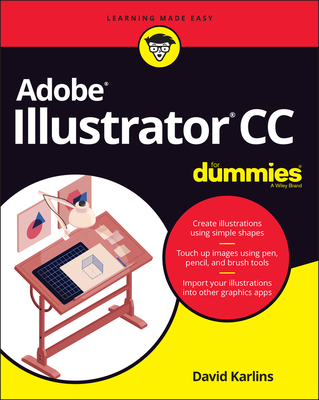
Adobe Illustrator CC for Dummies
| AUTHOR | Karlins, David; Karlins |
| PUBLISHER | For Dummies (01/29/2020) |
| PRODUCT TYPE | Paperback (Paperback) |
Get to know your digital drawing board
Adobe Illustrator CC offers a vibrant tool for creating drawings and illustrations in a digital environment. It takes some practice to get a feel for the digital pens, pencils, paintbrushes, and erasers, though. Adobe Illustrator CC For Dummies offers the guidance you need to turn your ideas into real drawings.
Written by an Illustrator trainer and expert, this book walks those new to the tool through the basics of drawing, editing, and applying the unique tools found in this popular program.
- Create illustrations using simple shapes
- Touch up images using pen, pencil, and brush tools
- Import your illustrations into other graphic apps
- Apply special effects and add type
This book is essential reading for new and beginning illustrators who are either adopting a digital tool for the first time, switching from an existing tool to Illustrator, or adding Illustrator know-how to existing Adobe knowledge.
Explore the amazing digital drawing board
Anything you can imagine for print or screens can be transformed into a drawing with Adobe Illustrator--you just have to get to know the digital pens, pencils, and paintbrushes that power the application. Start by creating lines and shapes, then explore drawing and editing paths, working with color, incorporating type, and turning your creations into finished projects. Whether you're a beginner, a veteran illustrator switching to digital, or an Adobe pro ready to add Illustrator to your toolbox, you'll find just what you need in this fun and easy guide.
Inside...
- Navigate the interface
- Access tools and features
- Create images with shapes
- Draw with pen and pencil tools
- Apply special effects
- Add colors and patterns
- Flow text around objects
- Export and save SVG artwork
Get to know your digital drawing board
Adobe Illustrator CC offers a vibrant tool for creating drawings and illustrations in a digital environment. It takes some practice to get a feel for the digital pens, pencils, paintbrushes, and erasers, though. Adobe Illustrator CC For Dummies offers the guidance you need to turn your ideas into real drawings.
Written by an Illustrator trainer and expert, this book walks those new to the tool through the basics of drawing, editing, and applying the unique tools found in this popular program.
- Create illustrations using simple shapes
- Touch up images using pen, pencil, and brush tools
- Import your illustrations into other graphic apps
- Apply special effects and add type
This book is essential reading for new and beginning illustrators who are either adopting a digital tool for the first time, switching from an existing tool to Illustrator, or adding Illustrator know-how to existing Adobe knowledge.