
Available options are listed below:
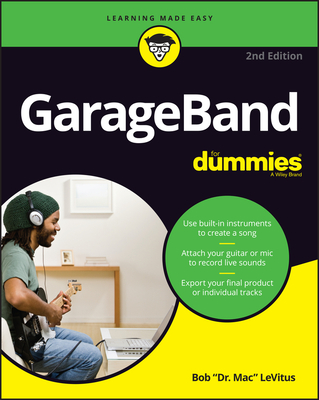
GarageBand for Dummies (Out of print)
| AUTHOR | LeVitus, Bob |
| PUBLISHER | For Dummies (08/25/2020) |
| PRODUCT TYPE | Paperback (Paperback) |
Lay down some tracks--no garage required
GarageBand has become the default musical sketchpad for both well-known artists and hobbyists musicians who want a simple way to record, edit, and share their own tunes. GarageBand For Dummies is your go-to guide to navigating the interface and making the tweaks to create your own songs.
Look inside to discover how to lay down a beat with the virtual drum kits, layer on sweet sounds with built-in virtual instruments, and attach simple hardware to record vocals or live instruments on a Mac, iPad, or even an iPhone.
- Use built-in instruments to create a song
- Attach your guitar or mic to record live sounds
- Export your final product or individual tracks
- Add effects and edit your song
GarageBand is the simplest way to create basic tracks without investing in costly hardware and learning a complex digital audio workstation software package--and this book shows you how.
- Use built-in instruments to create songs
- Attach your guitar or mic to record live sounds
- Mix, master, and export your masterpiece
Start laying down tracks with GarageBand
GarageBand has grown up, and it's even more fun than before! Today it's a top tool for capturing your musical ideas, even if you've never learned how to operate a studio or play multiple instruments. In this guidebook, leading Mac and music technology expert Bob "Dr. Mac" LeVitus shows you how to take full advantage of GarageBand on your Mac and iDevices. Explore the interface and learn how to create a beat with virtual drummers, layer on tracks using virtual instruments, add vocals and live instruments, mix your creations, and share your songs with the world.
Inside...
- Get GarageBand for your device
- Tour the virtual studio
- Begin with the beat
- Layer on virtual instruments
- Find live recording hardware
- Add artistic effects
- Fine-tune your creations
- Output a final master
- Use built-in instruments to create songs
- Attach your guitar or mic to record live sounds
- Mix, master, and export your masterpiece
Start laying down tracks with GarageBand
GarageBand has grown up, and it's even more fun than before! Today it's a top tool for capturing your musical ideas, even if you've never learned how to operate a studio or play multiple instruments. In this guidebook, leading Mac and music technology expert Bob "Dr. Mac" LeVitus shows you how to take full advantage of GarageBand on your Mac and iDevices. Explore the interface and learn how to create a beat with virtual drummers, layer on tracks using virtual instruments, add vocals and live instruments, mix your creations, and share your songs with the world.
Inside...
- Get GarageBand for your device
- Tour the virtual studio
- Begin with the beat
- Layer on virtual instruments
- Find live recording hardware
- Add artistic effects
- Fine-tune your creations
- Output a final master
Lay down some tracks--no garage required
GarageBand has become the default musical sketchpad for both well-known artists and hobbyists musicians who want a simple way to record, edit, and share their own tunes. GarageBand For Dummies is your go-to guide to navigating the interface and making the tweaks to create your own songs.
Look inside to discover how to lay down a beat with the virtual drum kits, layer on sweet sounds with built-in virtual instruments, and attach simple hardware to record vocals or live instruments on a Mac, iPad, or even an iPhone.
- Use built-in instruments to create a song
- Attach your guitar or mic to record live sounds
- Export your final product or individual tracks
- Add effects and edit your song
GarageBand is the simplest way to create basic tracks without investing in costly hardware and learning a complex digital audio workstation software package--and this book shows you how.