
Available options are listed below:
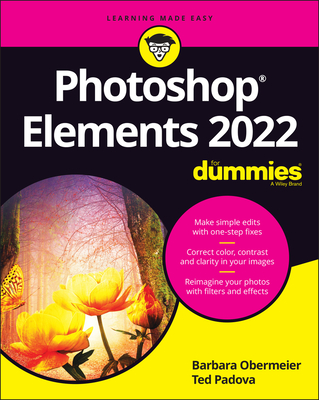
Photoshop Elements 2022 for Dummies (Out of print)
| AUTHOR | Padova, Ted; Obermeier, Barbara; Padova, Ted et al. |
| PUBLISHER | For Dummies (11/24/2021) |
| PRODUCT TYPE | Paperback (Paperback) |
With cameras on every phone, we've all got more photos than we know what to do with. But what if you could optimize and beautify every snap you take, regardless of the lighting or background? What if you could turn every shot of your adorable baby or a serene sunset into a stunning work of art? Photoshop Elements 2022 For Dummies is the key to making that happen.
This handy, step-by-step guide walks you through every aspect of using Photoshop Elements--the intuitive and accessible cousin of the more complex Photoshop--to make your next picture the best one you've ever taken.
Don't have any graphic design experience? Don't worry! This handbook is written specifically for everyday, busy people who want to learn Photoshop Element's photo editing tools without wading through complicated jargon or confusing instructions. In no time flat, you'll be fixing red eye, enhancing contrast and colors, and adding artistic flair to photos people can't help but enjoy and share.
- Get a handle on the most basic Photoshop Elements features before moving on to more advanced walkthroughs that will have you editing like a pro
- Figure out how to build, manipulate, and alter layers so you can change one part of a picture without altering the whole thing
- Make tiny adjustments--like fixing glare--or fundamental changes--like switching backgrounds--with the click of a mouse
So, get ready for more social media "Likes" than you know what to do with. You're about to turn your photos into something truly special.
Get picture-perfect images every time
Photoshop(R) Elements is the go-to software you need to turn your photo collection into an art gallery--no graphic design experience required! And in this book, you'll learn the ins and outs of cropping your images, enhancing contrast and color, and adding some artistic flair to your favorite shots. So leave the confusing jargon behind and harness the power of the user-friendly features in Photoshop Elements 2022 to make your next picture the best one you've ever taken.
Inside...
- Get to know the editing tools
- Make simple one-click fixes
- Use layers for easier editing
- Switch photo backgrounds
- Enhance colors and contrast
- Add motion to still images
- Add artistic filters
- Get pictures ready for sharing
- Edit images using Adobe Camera Raw
Get picture-perfect images every time
Photoshop(R) Elements is the go-to software you need to turn your photo collection into an art gallery--no graphic design experience required! And in this book, you'll learn the ins and outs of cropping your images, enhancing contrast and color, and adding some artistic flair to your favorite shots. So leave the confusing jargon behind and harness the power of the user-friendly features in Photoshop Elements 2022 to make your next picture the best one you've ever taken.
Inside...
- Get to know the editing tools
- Make simple one-click fixes
- Use layers for easier editing
- Switch photo backgrounds
- Enhance colors and contrast
- Add motion to still images
- Add artistic filters
- Get pictures ready for sharing
- Edit images using Adobe Camera Raw
With cameras on every phone, we've all got more photos than we know what to do with. But what if you could optimize and beautify every snap you take, regardless of the lighting or background? What if you could turn every shot of your adorable baby or a serene sunset into a stunning work of art? Photoshop Elements 2022 For Dummies is the key to making that happen.
This handy, step-by-step guide walks you through every aspect of using Photoshop Elements--the intuitive and accessible cousin of the more complex Photoshop--to make your next picture the best one you've ever taken.
Don't have any graphic design experience? Don't worry! This handbook is written specifically for everyday, busy people who want to learn Photoshop Element's photo editing tools without wading through complicated jargon or confusing instructions. In no time flat, you'll be fixing red eye, enhancing contrast and colors, and adding artistic flair to photos people can't help but enjoy and share.
- Get a handle on the most basic Photoshop Elements features before moving on to more advanced walkthroughs that will have you editing like a pro
- Figure out how to build, manipulate, and alter layers so you can change one part of a picture without altering the whole thing
- Make tiny adjustments--like fixing glare--or fundamental changes--like switching backgrounds--with the click of a mouse
So, get ready for more social media "Likes" than you know what to do with. You're about to turn your photos into something truly special.