
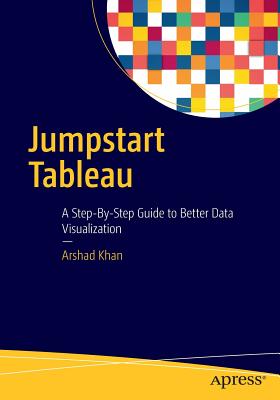
Jumpstart Tableau: A Step-By-Step Guide to Better Data Visualization
| AUTHOR | Khan, Arshad |
| PUBLISHER | Apress (06/03/2016) |
| PRODUCT TYPE | Paperback (Paperback) |
Learn how to create powerful data visualizations easily and quickly. You will develop reports and queries, and perform data analysis.
Jumpstart Tableau covers the basic reporting and analysis functions that most BI users perform in their day-to-day work. These include connecting to a data source, working with dimensions and measures, developing reports and charts, saving workbooks, filtering, swapping, sorting, formatting, grouping, creating hierarchies, forecasting, exporting, distributing, as well developing various chart types.
Each exercise in Jumpstart Tableau provides screenshots that cover every step from start to finish. The exercises are based on a comprehensive sample Excel-based data source that Tableau Software (version 9) has provided, which makes it very easy to duplicate the exercises on the real software.
This book teaches you to:
- Execute each function in a step-by-step manner
- Work up to more advanced and complex Tableau functionality
- Integrate individual development of content, such as tables/charts and visualizations., onto a dashboard for an effective presentation
- Connect to data sources
- Develop reports
- Create visualizations
- Perform analysis functions (e.g., filtering, drilldown, sorting, grouping, forecasting, etc.)
- Save visualizations in different formats and distribute them
- Develop dashboards and their content
Who This Book Is For
This book simplifies the use of Tableau software functionality for novice users so that they can create powerful data visualizations easily and quickly. Since it is often very difficult and expensive to provide external training on BI tools, this book aims to equip the reader with the resource they need to do it themselves.
Jumpstart Tableau covers the basic reporting and analysis functions that most BI users perform in their day-to-day work. These include connecting to a data source, working with dimensions and measures, developing reports and charts, saving workbooks, filtering, swapping, sorting, formatting, grouping, creating hierarchies, forecasting, exporting, distributing, as well developing various chart types.
Each exercise in Jumpstart Tableau provides screenshots that cover every step from start to finish. The exercises are based on a comprehensive sample Excel-based data source that Tableau Software (version 9) has provided, which makes it very easy to duplicate the exercises on the real software.
In addition, the book:
- Enables readers to develop reports, queries, and visualizations
- Perform data analysis
- Execute each function in a step-by-step manner
- Provides the basic hands-on ability which can enable users to work up to more advanced and complex Tableau functionality
- Shows how to integrate individual development of content, such as tables/charts and visualizations., onto a dashboard for an effective presentation
Learn how to create powerful data visualizations easily and quickly. You will develop reports and queries, and perform data analysis.
Jumpstart Tableau covers the basic reporting and analysis functions that most BI users perform in their day-to-day work. These include connecting to a data source, working with dimensions and measures, developing reports and charts, saving workbooks, filtering, swapping, sorting, formatting, grouping, creating hierarchies, forecasting, exporting, distributing, as well developing various chart types.
Each exercise in Jumpstart Tableau provides screenshots that cover every step from start to finish. The exercises are based on a comprehensive sample Excel-based data source that Tableau Software (version 9) has provided, which makes it very easy to duplicate the exercises on the real software.
This book teaches you to:
- Execute each function in a step-by-step manner
- Work up to more advanced and complex Tableau functionality
- Integrate individual development of content, such as tables/charts and visualizations., onto a dashboard for an effective presentation
- Connect to data sources
- Develop reports
- Create visualizations
- Perform analysis functions (e.g., filtering, drilldown, sorting, grouping, forecasting, etc.)
- Save visualizations in different formats and distribute them
- Develop dashboards and their content
Who This Book Is For