
ISBN 9781533630100 is currently unpriced. Please contact us for pricing.
Available options are listed below:
Available options are listed below:
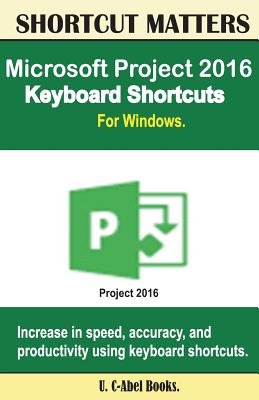
Microsoft Project 2016 Keyboard Shortcuts For Windows
| AUTHOR | C-Abel Books, U. |
| PUBLISHER | Createspace Independent Publishing Platform (06/08/2016) |
| PRODUCT TYPE | Paperback (Paperback) |
Description
Learn to handle your projects in a painless way. Being a project management program, Microsoft Project helps users to handle their projects in a more organized way. But its usage has to be combined with keyboard shortcuts. Using only mouse can make you get a sore neck, and it is more riskier if one is visually impaired.
In this book, you will find the following topics:Get the essential knowledge of mousing and using keyboard shortcuts. Know more about your keyboard and its various segments. Become familiar with the 15 special keyboard shortcuts you should know as a computer user. Microsoft Office Basics. Microsoft Project Shortcuts. Use OfficeArt Objects. Navigate Views And Windows. Outline A Project. Select And Edit In A Sheet View.
You can become faster, more productive, and smarter by using keyboard shortcuts listed in this book for Project 2016. Click "Buy now " to begin
In this book, you will find the following topics:
You can become faster, more productive, and smarter by using keyboard shortcuts listed in this book for Project 2016. Click "Buy now " to begin
Show More
Product Format
Product Details
ISBN-13:
9781533630100
ISBN-10:
1533630100
Binding:
Paperback or Softback (Trade Paperback (Us))
Content Language:
English
More Product Details
Page Count:
48
Carton Quantity:
170
Product Dimensions:
5.51 x 0.10 x 8.50 inches
Weight:
0.15 pound(s)
Country of Origin:
US
Subject Information
BISAC Categories
Computers | Business & Productivity Software - Project Management Tools
Descriptions, Reviews, Etc.
publisher marketing
Learn to handle your projects in a painless way. Being a project management program, Microsoft Project helps users to handle their projects in a more organized way. But its usage has to be combined with keyboard shortcuts. Using only mouse can make you get a sore neck, and it is more riskier if one is visually impaired.
In this book, you will find the following topics:Get the essential knowledge of mousing and using keyboard shortcuts. Know more about your keyboard and its various segments. Become familiar with the 15 special keyboard shortcuts you should know as a computer user. Microsoft Office Basics. Microsoft Project Shortcuts. Use OfficeArt Objects. Navigate Views And Windows. Outline A Project. Select And Edit In A Sheet View.
You can become faster, more productive, and smarter by using keyboard shortcuts listed in this book for Project 2016. Click "Buy now " to begin
In this book, you will find the following topics:
You can become faster, more productive, and smarter by using keyboard shortcuts listed in this book for Project 2016. Click "Buy now " to begin
Show More