
ISBN 9781543187212 is currently unpriced. Please contact us for pricing.
Available options are listed below:
Available options are listed below:
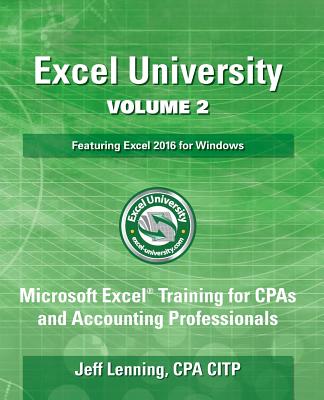
Excel University Volume 2 - Featuring Excel 2016 for Windows: Microsoft Excel Training for CPAs and Accounting Professionals
| AUTHOR | Lenning Cpa, Jeff Lenning |
| PUBLISHER | Createspace Independent Publishing Platform (03/23/2017) |
| PRODUCT TYPE | Paperback (Paperback) |
Description
Building on the firm foundation established in the first volume, the second installment in the Excel University series continues to explore the Excel features, functions and techniques relevant to accounting and finance professionals. Volume 2 focuses on how to automate recurring-use reports. Amounts in hands-free reports update the instant updated data is inserted into the workbook, for example, when an updated trial balance is pasted into the data sheet. This volume covers the Excel items needed to build and automate reports, including lookups, dynamic headers, mapping tables, error trapping, conditional summing, and date related functions. Excel practice files and solutions videos are available online so you can work hands-on as you read through the content. The skills developed in this volume will help you get your work done in less time.
Show More
Product Format
Product Details
ISBN-13:
9781543187212
ISBN-10:
1543187218
Binding:
Paperback or Softback (Trade Paperback (Us))
Content Language:
English
More Product Details
Page Count:
292
Carton Quantity:
13
Product Dimensions:
7.52 x 0.61 x 9.25 inches
Weight:
1.11 pound(s)
Country of Origin:
US
Subject Information
BISAC Categories
Computers | Desktop Applications - Spreadsheets
Descriptions, Reviews, Etc.
publisher marketing
Building on the firm foundation established in the first volume, the second installment in the Excel University series continues to explore the Excel features, functions and techniques relevant to accounting and finance professionals. Volume 2 focuses on how to automate recurring-use reports. Amounts in hands-free reports update the instant updated data is inserted into the workbook, for example, when an updated trial balance is pasted into the data sheet. This volume covers the Excel items needed to build and automate reports, including lookups, dynamic headers, mapping tables, error trapping, conditional summing, and date related functions. Excel practice files and solutions videos are available online so you can work hands-on as you read through the content. The skills developed in this volume will help you get your work done in less time.
Show More