
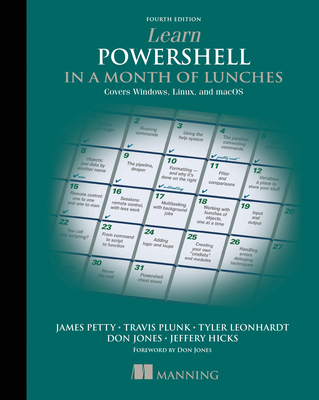
Learn Powershell in a Month of Lunches, Fourth Edition: Covers Windows, Linux, and macOS
| AUTHOR | Leonhardt, Tyler; Plunk, Travis; Leonhardt, Leon et al. |
| PUBLISHER | Manning Publications (04/26/2022) |
| PRODUCT TYPE | Paperback (Paperback) |
Description
Designed for busy IT professionals, this innovative guide will take you from the basics to PowerShell proficiency through 25 tutorials you can do in your lunch break. In Learn PowerShell in a Month of Lunches, Fourth Edition you will learn: Discoverability with the Help system
Background jobs and automation techniques
Simple scripting to automate repetitive tasks
Managing cloud services from major cloud providers
Extending PowerShell with commands
Common syntax and commands cheat sheet Learn PowerShell in a Month of Lunches, Fourth Edition is a task-focused guide for administering your systems using PowerShell. It covers core language features and admin tasks, with each chapter a mini-tutorial you can easily complete in under an hour. Discover how PowerShell works on different operating systems, and start automating tasks so they take just a few seconds to complete. No previous scripting experience required. The book is based on the bestselling Learn Windows PowerShell in a Month of Lunches by community legends Don Jones and Jeffery Hicks. PowerShell team members Travis Plunk and Tyler Leonhardt and Microsoft MVP James Petty have updated this edition to the latest version of PowerShell, including its multi-platform expansion into Linux and macOS. Purchase of the print book includes a free eBook in PDF, Kindle, and ePub formats from Manning Publications. About the technology
PowerShell gives you complete command line control over admin tasks like adding users, exporting data, and file management. Whether you're writing one-liners or building complex scripts to manage cloud resources and CI/CD pipelines, PowerShell can handle the task. And now that PowerShell is truly cross-platform, you don't have to switch scripting languages when you move between Windows, Linux, and macOS. About the book
Learn PowerShell in a Month of Lunches, Fourth Edition is a new edition of the bestseller that introduced PowerShell to over 100,000 readers. With bite-sized lessons and hands-on exercises, this amazing book guides you from your first command to writing and debugging reusable scripts for Windows, Linux, and macOS. Set aside just an hour a day and you'll soon be tackling increasingly complex automation tasks with PowerShell. What's inside Discoverability with the Help system
PowerShell on macOS and Linux
Background jobs and automation techniques
Managing cloud services from major cloud providers
Common syntax and commands cheat sheet About the reader
No previous experience with PowerShell or Bash required. About the author
James Petty is CEO of PowerShell.org and The DevOps Collective, and a Microsoft MVP. Travis Plunk is an engineer on the PowerShell team. Tyler Leonhardt is an engineer on Visual Studio Code. Don Jones and Jeffery Hicks are the original authors of Learn Windows PowerShell in a Month of Lunches. Table of Contents
1 Before you begin
2 Meet PowerShell
3 Using the help system
4 Running commands
5 Working with providers
6 The pipeline: Connecting commands
7 Adding commands
8 Objects: Data by another name
9 A practical interlude
10 The pipeline, deeper
11 Formatting: And why it's done on the right
12 Filtering and comparisons
13 Remote control: One-to-one and one-to-many
14 Multitasking with background jobs
15 Working with many objects, one at a time
16 Variables: A place to store your stuff
17 Input and output
18 Sessions: Remote control with less work
19 You call this scripting?
20 Improving your parameterized script
21 Using regular expressions to parse text files
22 Using someone else's script
23 Adding logic and loops
24 Handling errors
25 Debugging techniques
26 Tips, tricks, and techniques
27 Never the end
Background jobs and automation techniques
Simple scripting to automate repetitive tasks
Managing cloud services from major cloud providers
Extending PowerShell with commands
Common syntax and commands cheat sheet Learn PowerShell in a Month of Lunches, Fourth Edition is a task-focused guide for administering your systems using PowerShell. It covers core language features and admin tasks, with each chapter a mini-tutorial you can easily complete in under an hour. Discover how PowerShell works on different operating systems, and start automating tasks so they take just a few seconds to complete. No previous scripting experience required. The book is based on the bestselling Learn Windows PowerShell in a Month of Lunches by community legends Don Jones and Jeffery Hicks. PowerShell team members Travis Plunk and Tyler Leonhardt and Microsoft MVP James Petty have updated this edition to the latest version of PowerShell, including its multi-platform expansion into Linux and macOS. Purchase of the print book includes a free eBook in PDF, Kindle, and ePub formats from Manning Publications. About the technology
PowerShell gives you complete command line control over admin tasks like adding users, exporting data, and file management. Whether you're writing one-liners or building complex scripts to manage cloud resources and CI/CD pipelines, PowerShell can handle the task. And now that PowerShell is truly cross-platform, you don't have to switch scripting languages when you move between Windows, Linux, and macOS. About the book
Learn PowerShell in a Month of Lunches, Fourth Edition is a new edition of the bestseller that introduced PowerShell to over 100,000 readers. With bite-sized lessons and hands-on exercises, this amazing book guides you from your first command to writing and debugging reusable scripts for Windows, Linux, and macOS. Set aside just an hour a day and you'll soon be tackling increasingly complex automation tasks with PowerShell. What's inside Discoverability with the Help system
PowerShell on macOS and Linux
Background jobs and automation techniques
Managing cloud services from major cloud providers
Common syntax and commands cheat sheet About the reader
No previous experience with PowerShell or Bash required. About the author
James Petty is CEO of PowerShell.org and The DevOps Collective, and a Microsoft MVP. Travis Plunk is an engineer on the PowerShell team. Tyler Leonhardt is an engineer on Visual Studio Code. Don Jones and Jeffery Hicks are the original authors of Learn Windows PowerShell in a Month of Lunches. Table of Contents
1 Before you begin
2 Meet PowerShell
3 Using the help system
4 Running commands
5 Working with providers
6 The pipeline: Connecting commands
7 Adding commands
8 Objects: Data by another name
9 A practical interlude
10 The pipeline, deeper
11 Formatting: And why it's done on the right
12 Filtering and comparisons
13 Remote control: One-to-one and one-to-many
14 Multitasking with background jobs
15 Working with many objects, one at a time
16 Variables: A place to store your stuff
17 Input and output
18 Sessions: Remote control with less work
19 You call this scripting?
20 Improving your parameterized script
21 Using regular expressions to parse text files
22 Using someone else's script
23 Adding logic and loops
24 Handling errors
25 Debugging techniques
26 Tips, tricks, and techniques
27 Never the end
Show More
Product Format
Product Details
ISBN-13:
9781617296963
ISBN-10:
1617296961
Binding:
Paperback or Softback (Trade Paperback (Us))
Content Language:
English
More Product Details
Page Count:
360
Carton Quantity:
22
Product Dimensions:
7.32 x 0.71 x 9.13 inches
Weight:
1.30 pound(s)
Feature Codes:
Price on Product
Country of Origin:
US
Subject Information
BISAC Categories
Computers | System Administration - Windows Administration
Computers | System Administration - Linux & UNIX Administration
Computers | Languages - .NET
Dewey Decimal:
005.133
Library of Congress Control Number:
2022288143
Descriptions, Reviews, Etc.
jacket back
Learn PowerShell in a Month of Lunches: Covers Windows, Linux, and macOS is a task-focused tutorial for administering Linux and macOS systems using Microsoft PowerShell. Designed for busy ITprofessionals, this innovative guide will take you from the basics to PowerShell proficiency through 25 tutorials you can do in your lunchbreak. In Learn PowerShell in a Month of Lunches Covers Windows, Linux, and macOS, you'll learn how PowerShell shapes up to Bash or Python scripting as you write and run simple scripts that automate boring dailytasks. As you progress through this book-- based on the bestselling Learn Windows PowerShell in a Month of Lunches--you'll use PowerShell to write Continuous Integration Pipelines and manage cloud-based servers.
Show More
publisher marketing
Designed for busy IT professionals, this innovative guide will take you from the basics to PowerShell proficiency through 25 tutorials you can do in your lunch break. In Learn PowerShell in a Month of Lunches, Fourth Edition you will learn: Discoverability with the Help system
Background jobs and automation techniques
Simple scripting to automate repetitive tasks
Managing cloud services from major cloud providers
Extending PowerShell with commands
Common syntax and commands cheat sheet Learn PowerShell in a Month of Lunches, Fourth Edition is a task-focused guide for administering your systems using PowerShell. It covers core language features and admin tasks, with each chapter a mini-tutorial you can easily complete in under an hour. Discover how PowerShell works on different operating systems, and start automating tasks so they take just a few seconds to complete. No previous scripting experience required. The book is based on the bestselling Learn Windows PowerShell in a Month of Lunches by community legends Don Jones and Jeffery Hicks. PowerShell team members Travis Plunk and Tyler Leonhardt and Microsoft MVP James Petty have updated this edition to the latest version of PowerShell, including its multi-platform expansion into Linux and macOS. Purchase of the print book includes a free eBook in PDF, Kindle, and ePub formats from Manning Publications. About the technology
PowerShell gives you complete command line control over admin tasks like adding users, exporting data, and file management. Whether you're writing one-liners or building complex scripts to manage cloud resources and CI/CD pipelines, PowerShell can handle the task. And now that PowerShell is truly cross-platform, you don't have to switch scripting languages when you move between Windows, Linux, and macOS. About the book
Learn PowerShell in a Month of Lunches, Fourth Edition is a new edition of the bestseller that introduced PowerShell to over 100,000 readers. With bite-sized lessons and hands-on exercises, this amazing book guides you from your first command to writing and debugging reusable scripts for Windows, Linux, and macOS. Set aside just an hour a day and you'll soon be tackling increasingly complex automation tasks with PowerShell. What's inside Discoverability with the Help system
PowerShell on macOS and Linux
Background jobs and automation techniques
Managing cloud services from major cloud providers
Common syntax and commands cheat sheet About the reader
No previous experience with PowerShell or Bash required. About the author
James Petty is CEO of PowerShell.org and The DevOps Collective, and a Microsoft MVP. Travis Plunk is an engineer on the PowerShell team. Tyler Leonhardt is an engineer on Visual Studio Code. Don Jones and Jeffery Hicks are the original authors of Learn Windows PowerShell in a Month of Lunches. Table of Contents
1 Before you begin
2 Meet PowerShell
3 Using the help system
4 Running commands
5 Working with providers
6 The pipeline: Connecting commands
7 Adding commands
8 Objects: Data by another name
9 A practical interlude
10 The pipeline, deeper
11 Formatting: And why it's done on the right
12 Filtering and comparisons
13 Remote control: One-to-one and one-to-many
14 Multitasking with background jobs
15 Working with many objects, one at a time
16 Variables: A place to store your stuff
17 Input and output
18 Sessions: Remote control with less work
19 You call this scripting?
20 Improving your parameterized script
21 Using regular expressions to parse text files
22 Using someone else's script
23 Adding logic and loops
24 Handling errors
25 Debugging techniques
26 Tips, tricks, and techniques
27 Never the end
Background jobs and automation techniques
Simple scripting to automate repetitive tasks
Managing cloud services from major cloud providers
Extending PowerShell with commands
Common syntax and commands cheat sheet Learn PowerShell in a Month of Lunches, Fourth Edition is a task-focused guide for administering your systems using PowerShell. It covers core language features and admin tasks, with each chapter a mini-tutorial you can easily complete in under an hour. Discover how PowerShell works on different operating systems, and start automating tasks so they take just a few seconds to complete. No previous scripting experience required. The book is based on the bestselling Learn Windows PowerShell in a Month of Lunches by community legends Don Jones and Jeffery Hicks. PowerShell team members Travis Plunk and Tyler Leonhardt and Microsoft MVP James Petty have updated this edition to the latest version of PowerShell, including its multi-platform expansion into Linux and macOS. Purchase of the print book includes a free eBook in PDF, Kindle, and ePub formats from Manning Publications. About the technology
PowerShell gives you complete command line control over admin tasks like adding users, exporting data, and file management. Whether you're writing one-liners or building complex scripts to manage cloud resources and CI/CD pipelines, PowerShell can handle the task. And now that PowerShell is truly cross-platform, you don't have to switch scripting languages when you move between Windows, Linux, and macOS. About the book
Learn PowerShell in a Month of Lunches, Fourth Edition is a new edition of the bestseller that introduced PowerShell to over 100,000 readers. With bite-sized lessons and hands-on exercises, this amazing book guides you from your first command to writing and debugging reusable scripts for Windows, Linux, and macOS. Set aside just an hour a day and you'll soon be tackling increasingly complex automation tasks with PowerShell. What's inside Discoverability with the Help system
PowerShell on macOS and Linux
Background jobs and automation techniques
Managing cloud services from major cloud providers
Common syntax and commands cheat sheet About the reader
No previous experience with PowerShell or Bash required. About the author
James Petty is CEO of PowerShell.org and The DevOps Collective, and a Microsoft MVP. Travis Plunk is an engineer on the PowerShell team. Tyler Leonhardt is an engineer on Visual Studio Code. Don Jones and Jeffery Hicks are the original authors of Learn Windows PowerShell in a Month of Lunches. Table of Contents
1 Before you begin
2 Meet PowerShell
3 Using the help system
4 Running commands
5 Working with providers
6 The pipeline: Connecting commands
7 Adding commands
8 Objects: Data by another name
9 A practical interlude
10 The pipeline, deeper
11 Formatting: And why it's done on the right
12 Filtering and comparisons
13 Remote control: One-to-one and one-to-many
14 Multitasking with background jobs
15 Working with many objects, one at a time
16 Variables: A place to store your stuff
17 Input and output
18 Sessions: Remote control with less work
19 You call this scripting?
20 Improving your parameterized script
21 Using regular expressions to parse text files
22 Using someone else's script
23 Adding logic and loops
24 Handling errors
25 Debugging techniques
26 Tips, tricks, and techniques
27 Never the end
Show More
List Price $39.99
Your Price
$39.59