
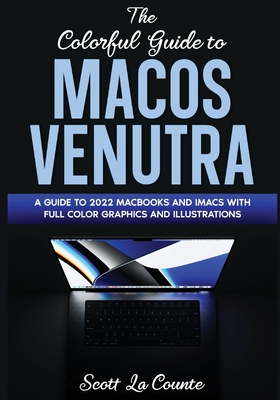
The Colorful Guide to MacOS Ventura: A Guide to the 2022 MacOS Ventura Update (Version 13) with Full Color Graphics and Illustrations
| AUTHOR | La Counte, Scott |
| PUBLISHER | SL Editions (10/25/2022) |
| PRODUCT TYPE | Paperback (Paperback) |
A color guide to using macOS Ventura
macOS updates sometimes don't get the same fanfare as their mobile and tablet counterparts. That's a shame because each update proves once again why Apple creates some of the best software around.
With macOS Ventura, there are several things you'll want to know about (like Stage Manager and the Continuity Camera); this guide will help. If you want to understand how to use the most powerful features on MacOS, then this guide will walk you through it.
This guide (in full color!) is all about helping you learn all the tips and tricks to make your life easier! Don't worry! If you need the basics, it's going to have you covered as well! It will start with the basics, then go forward from there.
Inside you will learn about:
- What's new with iMac
- What's new to macOS Ventura
- How you do all those Windows "things" on a Mac
- Stage Manager
- Using Siri
- Setting up Internet and Email
- Using Sidecar
- Using Control Center
- Downloading / Updating apps
- Organizing photos
- Using Safari and Tab Groups
- Protecting your privacy
- Managing your passwords
- Sending, replying, and pinning messages
- Multitasking
- Using Live text
- And much, much more!
Are you ready to start enjoying the new macOS? Then let's get started!
Note: This book is not endorsed by Apple, Inc. and should be considered unofficial.
A color guide to using macOS Ventura
macOS updates sometimes don't get the same fanfare as their mobile and tablet counterparts. That's a shame because each update proves once again why Apple creates some of the best software around.
With macOS Ventura, there are several things you'll want to know about (like Stage Manager and the Continuity Camera); this guide will help. If you want to understand how to use the most powerful features on MacOS, then this guide will walk you through it.
This guide (in full color!) is all about helping you learn all the tips and tricks to make your life easier! Don't worry! If you need the basics, it's going to have you covered as well! It will start with the basics, then go forward from there.
Inside you will learn about:
- What's new with iMac
- What's new to macOS Ventura
- How you do all those Windows "things" on a Mac
- Stage Manager
- Using Siri
- Setting up Internet and Email
- Using Sidecar
- Using Control Center
- Downloading / Updating apps
- Organizing photos
- Using Safari and Tab Groups
- Protecting your privacy
- Managing your passwords
- Sending, replying, and pinning messages
- Multitasking
- Using Live text
- And much, much more!
Are you ready to start enjoying the new macOS? Then let's get started!
Note: This book is not endorsed by Apple, Inc. and should be considered unofficial.