
ISBN 9781694515247 is currently unpriced. Please contact us for pricing.
Available options are listed below:
Available options are listed below:
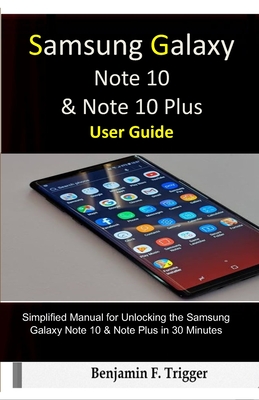
Samsung Galaxy Note 10 & Note 10 Plus User Guide: Simplified Manual for Unlocking the Samsung Galaxy Note 10 & Note Plus in 30 Minutes
| AUTHOR | Trigger, Benjamin F. |
| PUBLISHER | Independently Published (09/20/2019) |
| PRODUCT TYPE | Paperback (Paperback) |
Description
You don't stumble on comprehensive user guides often. If now, what you've been looking for is a guide that succinctly explains how to explore, unlock and optimize a Samsung Galaxy Note 10 and Note 10 Plus like a pro, then this book is just right for you. You'll learn how to: - How to customize bixby routines in Samsung Galaxy note 10 plus
- How to enable smart things in Samsung Galaxy note 10 plus
- Force close apps in Samsung Galaxy note 10 plus
- Digital wellbeing in Samsung Galaxy note 10 plus
- Using the secure folder in Samsung Galaxy note 10 plus
- Split screen apps in Samsung Galaxy note 10 plus
- Dual messenger
- Take ultra wide photos- How to use AR emoji
- Scene optimizer including how to customize Home Screen
.-Transferring Data from old device.-Samsung Accounts
-How to efficiently use the navigation Settings.
-How to use Dual messenger.-How to Customize the notification settings.
-How to Take ultra wide photos
-How to troubleshoot common problems
-Preventing calls from taking up entire Screen.
-Set up Night Mode.
-Tips for troubleshooting the Note 10/Note 10 Plus . . . And lots more.
**Scroll to the top of the page to get your guide now click now *
- How to enable smart things in Samsung Galaxy note 10 plus
- Force close apps in Samsung Galaxy note 10 plus
- Digital wellbeing in Samsung Galaxy note 10 plus
- Using the secure folder in Samsung Galaxy note 10 plus
- Split screen apps in Samsung Galaxy note 10 plus
- Dual messenger
- Take ultra wide photos- How to use AR emoji
- Scene optimizer including how to customize Home Screen
.-Transferring Data from old device.-Samsung Accounts
-How to efficiently use the navigation Settings.
-How to use Dual messenger.-How to Customize the notification settings.
-How to Take ultra wide photos
-How to troubleshoot common problems
-Preventing calls from taking up entire Screen.
-Set up Night Mode.
-Tips for troubleshooting the Note 10/Note 10 Plus . . . And lots more.
**Scroll to the top of the page to get your guide now click now *
Show More
Product Format
Product Details
ISBN-13:
9781694515247
ISBN-10:
1694515249
Binding:
Paperback or Softback (Trade Paperback (Us))
Content Language:
English
More Product Details
Page Count:
56
Carton Quantity:
126
Product Dimensions:
5.51 x 0.13 x 8.50 inches
Weight:
0.18 pound(s)
Country of Origin:
US
Subject Information
BISAC Categories
Computers | Buyer's Guides
Descriptions, Reviews, Etc.
publisher marketing
You don't stumble on comprehensive user guides often. If now, what you've been looking for is a guide that succinctly explains how to explore, unlock and optimize a Samsung Galaxy Note 10 and Note 10 Plus like a pro, then this book is just right for you. You'll learn how to: - How to customize bixby routines in Samsung Galaxy note 10 plus
- How to enable smart things in Samsung Galaxy note 10 plus
- Force close apps in Samsung Galaxy note 10 plus
- Digital wellbeing in Samsung Galaxy note 10 plus
- Using the secure folder in Samsung Galaxy note 10 plus
- Split screen apps in Samsung Galaxy note 10 plus
- Dual messenger
- Take ultra wide photos- How to use AR emoji
- Scene optimizer including how to customize Home Screen
.-Transferring Data from old device.-Samsung Accounts
-How to efficiently use the navigation Settings.
-How to use Dual messenger.-How to Customize the notification settings.
-How to Take ultra wide photos
-How to troubleshoot common problems
-Preventing calls from taking up entire Screen.
-Set up Night Mode.
-Tips for troubleshooting the Note 10/Note 10 Plus . . . And lots more.
**Scroll to the top of the page to get your guide now click now *
- How to enable smart things in Samsung Galaxy note 10 plus
- Force close apps in Samsung Galaxy note 10 plus
- Digital wellbeing in Samsung Galaxy note 10 plus
- Using the secure folder in Samsung Galaxy note 10 plus
- Split screen apps in Samsung Galaxy note 10 plus
- Dual messenger
- Take ultra wide photos- How to use AR emoji
- Scene optimizer including how to customize Home Screen
.-Transferring Data from old device.-Samsung Accounts
-How to efficiently use the navigation Settings.
-How to use Dual messenger.-How to Customize the notification settings.
-How to Take ultra wide photos
-How to troubleshoot common problems
-Preventing calls from taking up entire Screen.
-Set up Night Mode.
-Tips for troubleshooting the Note 10/Note 10 Plus . . . And lots more.
**Scroll to the top of the page to get your guide now click now *
Show More