
Back to Search

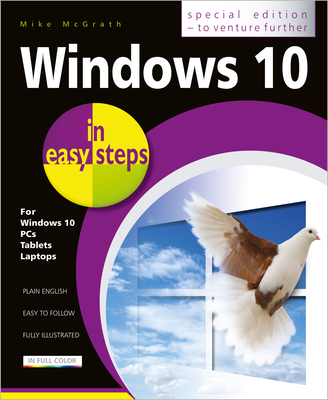
Windows 10 in Easy Steps - Special Edition

AUTHOR McGrath, Mike
PUBLISHER In Easy Steps (10/03/2019)
PRODUCT TYPE Paperback (Paperback)

Description

Windows 10 in easy steps - Special Edition, 3rd Edition is a comprehensive, yet concise guide that will walk you through Windows 10 basics so that you can get up and running in no time. Then, in easy steps, it'll gently guide you through advanced features to help you venture further and get more from Windows 10.

  • Install/upgrade the right Windows 10 release
  • Master the new interface, desktop and the Start menu
  • Learn to use the great new features in the latest update
  • Find, download and use key apps for work and for fun
  • Utilize internet and cloud facilities such as OneDrive
  • Enjoy Microsoft Edge, the new innovative web browser
  • Take control of devices and printers
  • Save time - use the Search feature and Cortana
  • Create and monitor a home network
  • Organize and share files safely
  • Keep Windows 10 working smoothly & efficiently
  • Explore Windows Registry, file encryption, Windows PowerShell, and more
  • This guide also includes a chapter on troubleshooting so it'll serve as a key reference point for the future.

    Show More
    Product Format
    Product Details
    ISBN-13: 9781840788075
    ISBN-10: 1840788070
    Binding: Paperback or Softback (Trade Paperback (Us))
    Content Language: English
    Edition Number: 0003
    More Product Details
    Page Count: 480
    Carton Quantity: 10
    Product Dimensions: 7.30 x 1.10 x 8.80 inches
    Weight: 2.30 pound(s)
    Feature Codes: Index, Price on Product, Illustrated
    Country of Origin: GB
    Subject Information
    BISAC Categories
    Computers | Operating Systems - Windows Desktop
    Computers | Hardware - Personal Computers - PCs
    Computers | Hardware - Tablets
    Dewey Decimal: 005.446
    Descriptions, Reviews, Etc.
    publisher marketing

    Windows 10 in easy steps - Special Edition, 3rd Edition is a comprehensive, yet concise guide that will walk you through Windows 10 basics so that you can get up and running in no time. Then, in easy steps, it'll gently guide you through advanced features to help you venture further and get more from Windows 10.

  • Install/upgrade the right Windows 10 release
  • Master the new interface, desktop and the Start menu
  • Learn to use the great new features in the latest update
  • Find, download and use key apps for work and for fun
  • Utilize internet and cloud facilities such as OneDrive
  • Enjoy Microsoft Edge, the new innovative web browser
  • Take control of devices and printers
  • Save time - use the Search feature and Cortana
  • Create and monitor a home network
  • Organize and share files safely
  • Keep Windows 10 working smoothly & efficiently
  • Explore Windows Registry, file encryption, Windows PowerShell, and more
  • This guide also includes a chapter on troubleshooting so it'll serve as a key reference point for the future.

    Show More

    Author: McGrath, Mike
    Mike McGrath is editor-at-large for Organic Gardening and is the former editor-in-chief. He writes a monthly column, "Mike McGrath's Tall Tales," and answers questions on the magazine's website. McGrath's "You Bet Your Garden" airs weekly on National Public Radio. He has made frequent guest appearances on NBC's Weekend Today and NPR's "All Things Considered." --This text refers to an out of print or unavailable edition of this title.
    Show More
    List Price $24.99
    Your Price  $24.74
    Paperback