
Available options are listed below:
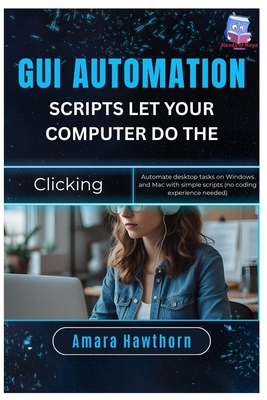
GUI Automation Scripts: Let Your Computer Do the Clicking: Automate desktop tasks on Windows and Mac with simple scripts (no coding experience needed)
| AUTHOR | Hawthorn, Amara |
| PUBLISHER | Independently Published (09/12/2025) |
| PRODUCT TYPE | Paperback (Paperback) |
Tired of repetitive clicking, typing, and opening the same programs over and over?
What if your computer could do it all for you-automatically?
This beginner-friendly guide shows you how to use GUI automation scripts to save time and eliminate boring tasks on Windows and Mac. You don't need to be a programmer-just follow the step-by-step tutorials and you'll be creating simple scripts that handle your daily computer work.
Inside this book, you'll discover how to:
Automate clicks, keystrokes, and app launches with simple scripts.
Use free tools to create no-code desktop automations.
Record and replay common workflows like form filling, data entry, or software setup.
Build time-saving automations for Windows and macOS.
Troubleshoot and refine scripts to make them reliable.
Boost productivity by letting your computer handle the boring stuff.
Who this book is for:
Beginners with no coding background who want quick wins.
Office workers, freelancers, and students looking to save hours of repetitive work.
Curious tinkerers who enjoy making their computers work smarter.
By the end, you'll have your own library of automation scripts that click, type, and launch apps for you-turning your computer into a personal assistant.
Tired of repetitive clicking, typing, and opening the same programs over and over?
What if your computer could do it all for you-automatically?
This beginner-friendly guide shows you how to use GUI automation scripts to save time and eliminate boring tasks on Windows and Mac. You don't need to be a programmer-just follow the step-by-step tutorials and you'll be creating simple scripts that handle your daily computer work.
Inside this book, you'll discover how to:
Automate clicks, keystrokes, and app launches with simple scripts.
Use free tools to create no-code desktop automations.
Record and replay common workflows like form filling, data entry, or software setup.
Build time-saving automations for Windows and macOS.
Troubleshoot and refine scripts to make them reliable.
Boost productivity by letting your computer handle the boring stuff.
Who this book is for:
Beginners with no coding background who want quick wins.
Office workers, freelancers, and students looking to save hours of repetitive work.
Curious tinkerers who enjoy making their computers work smarter.
By the end, you'll have your own library of automation scripts that click, type, and launch apps for you-turning your computer into a personal assistant.