
ISBN 9798288090677 is currently unpriced. Please contact us for pricing.
Available options are listed below:
Available options are listed below:
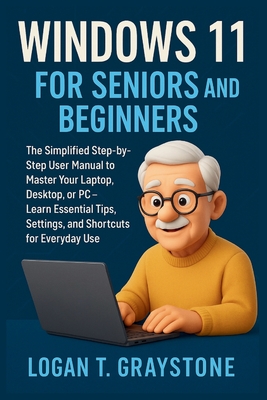
Windows 11 for Seniors and Beginners: The Simplified Step-by-Step User Manual to Master Your Laptop, Desktop, or PC - Learn Essential Tips, Settings,
| AUTHOR | Graystone, Logan T. |
| PUBLISHER | Independently Published (06/14/2025) |
| PRODUCT TYPE | Paperback (Paperback) |
Description
Are you new to Windows 11 or struggling to feel confident with your computer? Whether you're a senior, absolute beginner, or someone returning to technology after a break, this friendly and complete guide is designed just for you.
Inside this easy-to-follow book, you'll discover: ? How to set up and navigate your Windows 11 computer with confidence
? Step-by-step instructions with large text, helpful diagrams, and plain English
? Tips for safe internet browsing, using email, and installing essential apps
? Clear guides to use Copilot AI, File Explorer, Microsoft Edge, Mail, and more
? Troubleshooting solutions, shortcuts, and routines to make life easier
? Bonus appendices: cheat sheets, glossary, and trusted tools for seniors Whether you're checking email, managing files, video calling family, or just browsing online - this book will help you take control and enjoy your computer again.
Perfect for first-time users, older adults, and anyone looking to master Windows 11 without frustration or tech jargon.
Inside this easy-to-follow book, you'll discover: ? How to set up and navigate your Windows 11 computer with confidence
? Step-by-step instructions with large text, helpful diagrams, and plain English
? Tips for safe internet browsing, using email, and installing essential apps
? Clear guides to use Copilot AI, File Explorer, Microsoft Edge, Mail, and more
? Troubleshooting solutions, shortcuts, and routines to make life easier
? Bonus appendices: cheat sheets, glossary, and trusted tools for seniors Whether you're checking email, managing files, video calling family, or just browsing online - this book will help you take control and enjoy your computer again.
Perfect for first-time users, older adults, and anyone looking to master Windows 11 without frustration or tech jargon.
Show More
Product Format
Product Details
ISBN-13:
9798288090677
Binding:
Paperback or Softback (Trade Paperback (Us))
Content Language:
English
More Product Details
Page Count:
138
Carton Quantity:
56
Product Dimensions:
6.00 x 0.30 x 9.00 inches
Weight:
0.43 pound(s)
Feature Codes:
Glossary
Country of Origin:
US
Subject Information
BISAC Categories
Computers | Operating Systems - Windows Desktop
Descriptions, Reviews, Etc.
publisher marketing
Are you new to Windows 11 or struggling to feel confident with your computer? Whether you're a senior, absolute beginner, or someone returning to technology after a break, this friendly and complete guide is designed just for you.
Inside this easy-to-follow book, you'll discover: ? How to set up and navigate your Windows 11 computer with confidence
? Step-by-step instructions with large text, helpful diagrams, and plain English
? Tips for safe internet browsing, using email, and installing essential apps
? Clear guides to use Copilot AI, File Explorer, Microsoft Edge, Mail, and more
? Troubleshooting solutions, shortcuts, and routines to make life easier
? Bonus appendices: cheat sheets, glossary, and trusted tools for seniors Whether you're checking email, managing files, video calling family, or just browsing online - this book will help you take control and enjoy your computer again.
Perfect for first-time users, older adults, and anyone looking to master Windows 11 without frustration or tech jargon.
Inside this easy-to-follow book, you'll discover: ? How to set up and navigate your Windows 11 computer with confidence
? Step-by-step instructions with large text, helpful diagrams, and plain English
? Tips for safe internet browsing, using email, and installing essential apps
? Clear guides to use Copilot AI, File Explorer, Microsoft Edge, Mail, and more
? Troubleshooting solutions, shortcuts, and routines to make life easier
? Bonus appendices: cheat sheets, glossary, and trusted tools for seniors Whether you're checking email, managing files, video calling family, or just browsing online - this book will help you take control and enjoy your computer again.
Perfect for first-time users, older adults, and anyone looking to master Windows 11 without frustration or tech jargon.
Show More