
Available options are listed below:
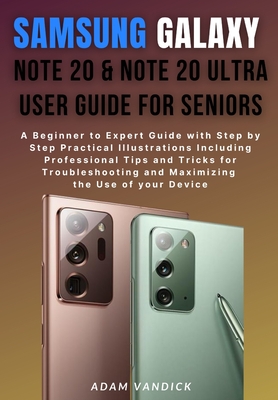
Samsung Galaxy Note 20 & Note 20 Ultra User Guide for Seniors: A Beginner to Expert Guide with Step by Step Practical Illustrations Including Professi
| AUTHOR | Vandick, Adam |
| PUBLISHER | Independently Published (08/30/2020) |
| PRODUCT TYPE | Paperback (Paperback) |
The Complete User Guide for Samsung Galaxy Note 20 & Note 20 Ultra for the Elderly
This guide is all you ever need to become a pro in the use of your new Galaxy Note 20 and Note 20 Ultra device. Did you know that your Samsung Galaxy Note 20 and Note 20 Ultra is incorporated with:
- Voice Assistant (Just like Windows 10 Cortana)
- Magnifier window, widget
- Sound detectors
- Hearing aid support
- Live Transcribe/Caption on Android
- Interaction control
- Mouse and Physical keyboard
- Flash notification
Amidst other amazing features. This guide explains all the features of these devices with step by step screenshots illustrations for better comprehension.
Below is a highlight into this user guide:
- Your Device Layout
- Charging the Device
- Wireless Power Share
- Charging Tips and Precautions
- Tips for Reducing Battery Consumption
- How to install the SIM
- How to activate the e-SIM
- Inserting a Memory Card in your Device
- Formatting the Memory Card
- Forcing Restart
- Opening and Managing of Accounts on Your Devices
- Adding your Google Account
- Adding your Outlook Account.
- Adding your Samsung Account
- Transferring of Data to Your New Devices from An Old Device.
- Navigating on Your Device Screen
- The Home Screen Settings
- Customizing the Home Screen of Your Device
- Setting Your Device Screen Theme
- Adding a Widget to your Device Screen
- Displaying all Apps on the Home Screen
- The status Bar
- Notification Panel
- Installing application
- Galaxy Play Store
- Google Play Store
- The S Pen
- Charging the S Pen
- Taking Pictures with the S Pen
- Connecting Another S Pen to Your Device
- The Airview
- How to Unlock the Screen Using the S Pen
- Customizing Samsung Daily
- Bixby
- Biometrics Security
- Face Recognition
- Fingerprint recognition
- Single Take Capture
- Taking Selfies
- Recording a Video
- Live Focus Video
- Editing of picture
- Editing of Videos
- Sharing of Pictures and Videos
- Taking a Screenshot
- Screen Recorder
- Samsung Apps
- Adding or Creating A New Contact
- Texting or Making A Call on Your Contact
- The Internet
- The Secret Mode
- Blocking Phone Numbers
- Google apps
- Microsoft apps
- Connection
- NCF and Payment
- How to activate Motion Smoothness
- Troubleshooting your Device
- And lots more...
To get access to these and other amazing tips in this guide, click the buy now button
The Complete User Guide for Samsung Galaxy Note 20 & Note 20 Ultra for the Elderly
This guide is all you ever need to become a pro in the use of your new Galaxy Note 20 and Note 20 Ultra device. Did you know that your Samsung Galaxy Note 20 and Note 20 Ultra is incorporated with:
- Voice Assistant (Just like Windows 10 Cortana)
- Magnifier window, widget
- Sound detectors
- Hearing aid support
- Live Transcribe/Caption on Android
- Interaction control
- Mouse and Physical keyboard
- Flash notification
Amidst other amazing features. This guide explains all the features of these devices with step by step screenshots illustrations for better comprehension.
Below is a highlight into this user guide:
- Your Device Layout
- Charging the Device
- Wireless Power Share
- Charging Tips and Precautions
- Tips for Reducing Battery Consumption
- How to install the SIM
- How to activate the e-SIM
- Inserting a Memory Card in your Device
- Formatting the Memory Card
- Forcing Restart
- Opening and Managing of Accounts on Your Devices
- Adding your Google Account
- Adding your Outlook Account.
- Adding your Samsung Account
- Transferring of Data to Your New Devices from An Old Device.
- Navigating on Your Device Screen
- The Home Screen Settings
- Customizing the Home Screen of Your Device
- Setting Your Device Screen Theme
- Adding a Widget to your Device Screen
- Displaying all Apps on the Home Screen
- The status Bar
- Notification Panel
- Installing application
- Galaxy Play Store
- Google Play Store
- The S Pen
- Charging the S Pen
- Taking Pictures with the S Pen
- Connecting Another S Pen to Your Device
- The Airview
- How to Unlock the Screen Using the S Pen
- Customizing Samsung Daily
- Bixby
- Biometrics Security
- Face Recognition
- Fingerprint recognition
- Single Take Capture
- Taking Selfies
- Recording a Video
- Live Focus Video
- Editing of picture
- Editing of Videos
- Sharing of Pictures and Videos
- Taking a Screenshot
- Screen Recorder
- Samsung Apps
- Adding or Creating A New Contact
- Texting or Making A Call on Your Contact
- The Internet
- The Secret Mode
- Blocking Phone Numbers
- Google apps
- Microsoft apps
- Connection
- NCF and Payment
- How to activate Motion Smoothness
- Troubleshooting your Device
- And lots more...
To get access to these and other amazing tips in this guide, click the buy now button