
Available options are listed below:
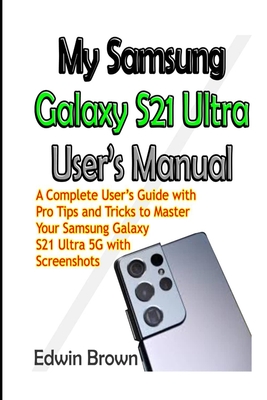
My Samsung Galaxy S21 Ultra User's Manual: A Complete User's Guide with Pro Tips and Tricks to Master Your Samsung Galaxy S21 Ultra 5G with Screenshot
| AUTHOR | Brown, Edwin |
| PUBLISHER | Independently Published (02/22/2021) |
| PRODUCT TYPE | Paperback (Paperback) |
The Samsung Galaxy S21 Ultra 5G is one of the Galaxy S21 series smartphones released in 2021. It has some obvious features which clearly distinguishes it from the other two smartphones (Galaxy S21 and S21 Plus).
My Samsung Galaxy S21 Ultra User's Manual is designed to help you master the functions of your Samsung Galaxy S21 Ultra 5G as well maximizing the potentiality of the device.
This manual adopts a step-by-step approach which makes it a good fit for non-tech savvy users. It also provides advanced pro tips and tricks for immediate and advanced users.
In this guide, you will be able to access of the contents below as well as many others:
- Basic tech information and specification about the device
- A comprehensive setup guide for beginners: All you need to know setting up your device.
- How to transfer data from your old device to your new device
- Setting up and adding Email, Calendar, Contacts account to your device
- Setting up a voicemail
- Customizing your home screen
- How to use the wireless power sharing feature to charge other devices
- How to use Bixby and all you need to know about the Samsung virtual assistant.
- Setting up the biometric features on your device
- How to link your phone to Windows using continuity
- Using the Samsung keyboard like a pro
- Effective ways to conserve your battery
- How to add and remove apps from your device.
- How to use the Camera app to take photos, photo settings and photo editing technique (pro)
- How to use the camera app to take videos, videos settings and video editing techniques (pro)
- Connection management
And many more...
A glance through the Table of Contents will give you an insight to the information that has been fully packed in this handy guide.
Don't wait any further, get a copy by clicking the BUY button NOW
Hurry
The Samsung Galaxy S21 Ultra 5G is one of the Galaxy S21 series smartphones released in 2021. It has some obvious features which clearly distinguishes it from the other two smartphones (Galaxy S21 and S21 Plus).
My Samsung Galaxy S21 Ultra User's Manual is designed to help you master the functions of your Samsung Galaxy S21 Ultra 5G as well maximizing the potentiality of the device.
This manual adopts a step-by-step approach which makes it a good fit for non-tech savvy users. It also provides advanced pro tips and tricks for immediate and advanced users.
In this guide, you will be able to access of the contents below as well as many others:
- Basic tech information and specification about the device
- A comprehensive setup guide for beginners: All you need to know setting up your device.
- How to transfer data from your old device to your new device
- Setting up and adding Email, Calendar, Contacts account to your device
- Setting up a voicemail
- Customizing your home screen
- How to use the wireless power sharing feature to charge other devices
- How to use Bixby and all you need to know about the Samsung virtual assistant.
- Setting up the biometric features on your device
- How to link your phone to Windows using continuity
- Using the Samsung keyboard like a pro
- Effective ways to conserve your battery
- How to add and remove apps from your device.
- How to use the Camera app to take photos, photo settings and photo editing technique (pro)
- How to use the camera app to take videos, videos settings and video editing techniques (pro)
- Connection management
And many more...
A glance through the Table of Contents will give you an insight to the information that has been fully packed in this handy guide.
Don't wait any further, get a copy by clicking the BUY button NOW
Hurry