
Back to Search

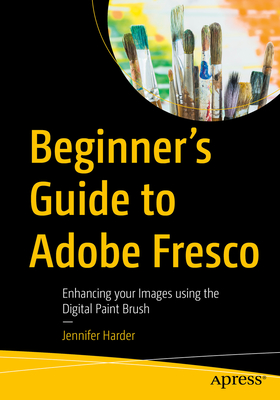
Beginner's Guide to Adobe Fresco: Enhancing Your Images Using the Digital Paint Brush

AUTHOR Harder, Jennifer
PUBLISHER Apress (08/02/2025)
PRODUCT TYPE Paperback (Paperback)

Description
Explore your creative side using a combination of vector and raster (pixilated) layers and brushes with Adobe Fresco to create your digital painting effects, enhance your designs, or create a simple GIF animation. Fresco is a unique drawing application added to the Adobe Creative Cloud suite in 2019.

If you are not familiar with Fresco, you may want to know what its practical applications are for your next design project. This book will explore how Fresco can be used as a stand-alone creative application using its various tools and panels. However, we will also look at how to import your current artwork created with other Adobe Applications like Photoshop into Fresco to enhance the design. Later we will look at Fresco's basic animation options as well. Finally, we will look at Export options so that you can use the final files for projects and share them with other Adobe applications outside of the Creative Cloud desktop file folder.

You will discover that Fresco is a great application to add to your "tool belt" of knowledge when your clients ask that additional artistic brush effects be applied to a project. You will also see the various similarities between it, Photoshop, and Illustrator.

You Will

    Master use of Tools and Panels to enhance your artwork in a new document Discover the many brush options available within Fresco Find out how to import artwork into Fresco to edit Learn to create a GIF animation within the Fresco application Grasp how to export your completed artwork for other Adobe applications
Who Is This Book For

This book is ideal for beginners; however, some prior experience with using Photoshop and Illustrator to create or color correct the main images before importing is useful. Some information will be briefly discussed regarding these Adobe applications as it specifically applies to Fresco.

Students and graphic designers who want to add further brush embellishments to their projects while working with Fresco and other Adobe applications.

Show More
Product Format
Product Details
ISBN-13: 9798868815560
Binding: Paperback or Softback (Trade Paperback (Us))
Content Language: English
More Product Details
Page Count: 698
Carton Quantity: 5
Product Dimensions: 7.00 x 1.43 x 10.00 inches
Weight: 2.69 pound(s)
Feature Codes: Illustrated
Country of Origin: NL
Subject Information
BISAC Categories
Computers | Software Development & Engineering - Computer Graphics
Descriptions, Reviews, Etc.
jacket back

Explore your creative side using a of combination of vector and raster (pixilated) layers and brushes with Adobe Fresco to create digital painting effect, enhance your designs, or create a simple GIF Animation. Fresco is a unique drawing application added to the Adobe Creative Cloud suite in 2019.

If you are not familiar with Fresco, you may want to know what its practical applications are for your next design project. This book will explore how Fresco can be used as a stand-alone creative application using its various tools and panels. However, we will also look at how to import your current artwork created with other Adobe Applications like Photoshop into Fresco to enhance the design. Later we will look at Fresco's basic animation options as well. Finally, we will look at Export options so that you can use the final files for projects and share them with other Adobe applications outside of the Creative Cloud desktop file folder.

You will discover that Fresco is a great application to add to your "tool belt" of knowledge when your clients ask that additional artistic brush effects be applied to a project. You will also see the various similarities between it, Photoshop, and Illustrator.

You Will

  • Master use of Tools and Panels to enhance your artwork in a new document
  • Discover the many brush options available within Fresco
  • Find out how to import artwork into Fresco to edit
  • Learn to create a GIF animation within the Fresco application
  • Grasp how to export your completed artwork for other Adobe applications
Show More
publisher marketing
Explore your creative side using a combination of vector and raster (pixilated) layers and brushes with Adobe Fresco to create your digital painting effects, enhance your designs, or create a simple GIF animation. Fresco is a unique drawing application added to the Adobe Creative Cloud suite in 2019.

If you are not familiar with Fresco, you may want to know what its practical applications are for your next design project. This book will explore how Fresco can be used as a stand-alone creative application using its various tools and panels. However, we will also look at how to import your current artwork created with other Adobe Applications like Photoshop into Fresco to enhance the design. Later we will look at Fresco's basic animation options as well. Finally, we will look at Export options so that you can use the final files for projects and share them with other Adobe applications outside of the Creative Cloud desktop file folder.

You will discover that Fresco is a great application to add to your "tool belt" of knowledge when your clients ask that additional artistic brush effects be applied to a project. You will also see the various similarities between it, Photoshop, and Illustrator.

You Will

    Master use of Tools and Panels to enhance your artwork in a new document Discover the many brush options available within Fresco Find out how to import artwork into Fresco to edit Learn to create a GIF animation within the Fresco application Grasp how to export your completed artwork for other Adobe applications
Who Is This Book For

This book is ideal for beginners; however, some prior experience with using Photoshop and Illustrator to create or color correct the main images before importing is useful. Some information will be briefly discussed regarding these Adobe applications as it specifically applies to Fresco.

Students and graphic designers who want to add further brush embellishments to their projects while working with Fresco and other Adobe applications.

Show More
List Price $59.99
Your Price  $59.39
Paperback