
ISBN 9798883321848 is currently unpriced. Please contact us for pricing.
Available options are listed below:
Available options are listed below:
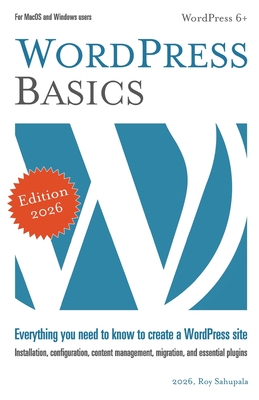
WordPress Basics: Everything you need to know to create a WordPress site
| AUTHOR | Sahupala, Roy |
| PUBLISHER | Independently Published (03/04/2024) |
| PRODUCT TYPE | Paperback (Paperback) |
Description
This book guides you through the process of installing and configuring a WordPress site. You'll be introduced to the Dashboard, the central management environment. From there, you'll go deeper into creating content with Posts and Pages. In addition, you'll learn how to create navigation and social menus and how to install and customize themes. You will also explore how to extend your site with additional functionality using practical Plugins, how to optimize the site for search engines, how to integrate an SSL certificate (indicated by a lock icon in the address bar) and how to secure your website with backups. For completeness, you will also learn how to create a Privacy Statement for your website and ask visitors' permission to place cookies. In this book, you will learn about: - Installing WordPress on your own computer
- Basic configuration
- Creating posts and pages
- Setting up navigation menus
- Exploring classic and block themes
- Using plugins to extend functionality
- Enhancing security and creating backups
- Migrating a WordPress site to the internet
- Managing privacy and cookies
- Implementing search engine optimization techniques
- Securing your website with SSL For MacOS and Windows users. For more information, visit wp-books.com
- Basic configuration
- Creating posts and pages
- Setting up navigation menus
- Exploring classic and block themes
- Using plugins to extend functionality
- Enhancing security and creating backups
- Migrating a WordPress site to the internet
- Managing privacy and cookies
- Implementing search engine optimization techniques
- Securing your website with SSL For MacOS and Windows users. For more information, visit wp-books.com
Show More
Product Format
Product Details
ISBN-13:
9798883321848
Binding:
Paperback or Softback (Trade Paperback (Us))
Content Language:
English
More Product Details
Page Count:
248
Carton Quantity:
30
Product Dimensions:
5.50 x 0.56 x 8.50 inches
Weight:
0.70 pound(s)
Country of Origin:
US
Subject Information
BISAC Categories
Computers | Internet - Content Management Systems
Descriptions, Reviews, Etc.
publisher marketing
This book guides you through the process of installing and configuring a WordPress site. You'll be introduced to the Dashboard, the central management environment. From there, you'll go deeper into creating content with Posts and Pages. In addition, you'll learn how to create navigation and social menus and how to install and customize themes. You will also explore how to extend your site with additional functionality using practical Plugins, how to optimize the site for search engines, how to integrate an SSL certificate (indicated by a lock icon in the address bar) and how to secure your website with backups. For completeness, you will also learn how to create a Privacy Statement for your website and ask visitors' permission to place cookies. In this book, you will learn about: - Installing WordPress on your own computer
- Basic configuration
- Creating posts and pages
- Setting up navigation menus
- Exploring classic and block themes
- Using plugins to extend functionality
- Enhancing security and creating backups
- Migrating a WordPress site to the internet
- Managing privacy and cookies
- Implementing search engine optimization techniques
- Securing your website with SSL For MacOS and Windows users. For more information, visit wp-books.com
- Basic configuration
- Creating posts and pages
- Setting up navigation menus
- Exploring classic and block themes
- Using plugins to extend functionality
- Enhancing security and creating backups
- Migrating a WordPress site to the internet
- Managing privacy and cookies
- Implementing search engine optimization techniques
- Securing your website with SSL For MacOS and Windows users. For more information, visit wp-books.com
Show More