
Back to Search

Chromebooks in Easy Steps: Ideal for Seniors

AUTHOR King, Philip
PUBLISHER In Easy Steps (04/26/2022)
PRODUCT TYPE Paperback (Paperback)

Description

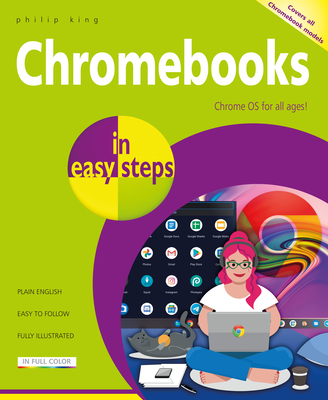
Chromebooks in easy steps illustrates all the clever features of this versatile, budget-friendly alternative to a Windows laptop or MacBook. Covering all Chromebook models, it:

  • Demystifies what a Chromebook is and how it differs from other types of laptops and tablets.
  • Shows how to get your Chromebook up and running in no time.
  • Guides you through the Chrome web browser, Gmail and other key apps such as Docs, Sheets, and Slides.
  • Reveals how to make video calls using a variety of services, to stay in touch with friends and family.
  • Shows how to connect your Chromebook to external devices including printers.
  • Demonstrates how to upload and organise your photos, videos, and documents in the Cloud.
  • Covers how to make documents available offline when you don't have an internet connection.
  • Guides you through how to watch TV and movies, and how to download and use Android apps and games.
  • Provides guidance on maintenance and troubleshooting.
  • Ideal for anyone new to the Chromebook, including Senior readers.

    Show More
    Product Format
    Product Details
    ISBN-13: 9781840789584
    ISBN-10: 1840789581
    Binding: Paperback or Softback (Trade Paperback (Us))
    Content Language: English
    More Product Details
    Page Count: 192
    Carton Quantity: 22
    Product Dimensions: 7.09 x 0.47 x 8.82 inches
    Weight: 0.85 pound(s)
    Feature Codes: Index, Price on Product, Illustrated
    Country of Origin: GB
    Subject Information
    BISAC Categories
    Computers | Hardware - Personal Computers - PCs
    Computers | Operating Systems - General
    Dewey Decimal: 004.165
    Descriptions, Reviews, Etc.
    publisher marketing

    Chromebooks in easy steps illustrates all the clever features of this versatile, budget-friendly alternative to a Windows laptop or MacBook. Covering all Chromebook models, it:

  • Demystifies what a Chromebook is and how it differs from other types of laptops and tablets.
  • Shows how to get your Chromebook up and running in no time.
  • Guides you through the Chrome web browser, Gmail and other key apps such as Docs, Sheets, and Slides.
  • Reveals how to make video calls using a variety of services, to stay in touch with friends and family.
  • Shows how to connect your Chromebook to external devices including printers.
  • Demonstrates how to upload and organise your photos, videos, and documents in the Cloud.
  • Covers how to make documents available offline when you don't have an internet connection.
  • Guides you through how to watch TV and movies, and how to download and use Android apps and games.
  • Provides guidance on maintenance and troubleshooting.
  • Ideal for anyone new to the Chromebook, including Senior readers.

    Show More
    List Price $18.99
    Your Price  $18.80
    Paperback