
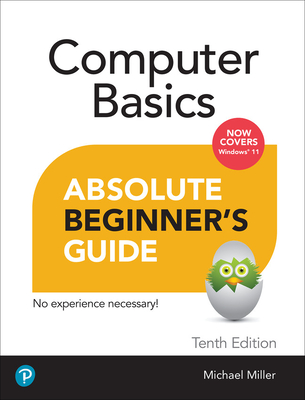
Computer Basics Absolute Beginner's Guide, Windows 11 Edition
| AUTHOR | Miller, Michael; Miller, Mike |
| PUBLISHER | Que (08/04/2022) |
| PRODUCT TYPE | Paperback (Paperback) |
Description
Make the most of your Windows 11 laptop or desktop computer--without becoming a technical expert! This book is the fastest way to get comfortable, get productive, get online, get started with social networking, make more connections, and have more fun! Even if you've never used a Windows computer before, this book shows you how to do what you want, one incredibly clear and easy step at a time. Computer basics have never, ever been this simple! Who knew how simple using computers could be? This is today's best beginner's guide to using your computer or tablet with the Windows 11 operating system...simple, practical instructions for doing everything you really want to do!
Here's a small sample of what you'll learn:
* Set up your computer and personalize the Windows 11 Start menu and desktop
* Connect to the Internet and browse the Web with Microsoft Edge
* Get started with social networking on Facebook, Twitter, Pinterest, and LinkedIn
* Video chat with Zoom and Microsoft Teams
* Use Windows 11's built-in apps--and find great new apps in the Microsoft Store
* Connect printers and external storage
* Connect to a home wireless network or public Wi-Fi hotspot
* Go online to shop and sell--including ordering food and groceries online
* Get work done quickly with Microsoft Office
* Organize, view, and share photos
* Listen to streaming music with Pandora and Spotify
* Watch streaming movies and TV shows with Amazon Prime Video, Disney+, HBO Max, Hulu, Netflix, and more
* Protect yourself against viruses, spyware, and spam
Here's a small sample of what you'll learn:
* Set up your computer and personalize the Windows 11 Start menu and desktop
* Connect to the Internet and browse the Web with Microsoft Edge
* Get started with social networking on Facebook, Twitter, Pinterest, and LinkedIn
* Video chat with Zoom and Microsoft Teams
* Use Windows 11's built-in apps--and find great new apps in the Microsoft Store
* Connect printers and external storage
* Connect to a home wireless network or public Wi-Fi hotspot
* Go online to shop and sell--including ordering food and groceries online
* Get work done quickly with Microsoft Office
* Organize, view, and share photos
* Listen to streaming music with Pandora and Spotify
* Watch streaming movies and TV shows with Amazon Prime Video, Disney+, HBO Max, Hulu, Netflix, and more
* Protect yourself against viruses, spyware, and spam
Show More
Product Format
Product Details
ISBN-13:
9780137885770
ISBN-10:
0137885776
Binding:
Paperback or Softback (Trade Paperback (Us))
Content Language:
English
Edition Number:
0010
More Product Details
Page Count:
368
Carton Quantity:
10
Product Dimensions:
7.20 x 0.80 x 9.80 inches
Weight:
1.00 pound(s)
Feature Codes:
Index,
Price on Product,
Illustrated
Country of Origin:
US
Subject Information
BISAC Categories
Computers | Hardware - Personal Computers - General
Computers | Operating Systems - Windows Desktop
Dewey Decimal:
004.16
Library of Congress Control Number:
2022937763
Descriptions, Reviews, Etc.
publisher marketing
Make the most of your Windows 11 laptop or desktop computer--without becoming a technical expert! This book is the fastest way to get comfortable, get productive, get online, get started with social networking, make more connections, and have more fun! Even if you've never used a Windows computer before, this book shows you how to do what you want, one incredibly clear and easy step at a time. Computer basics have never, ever been this simple! Who knew how simple using computers could be? This is today's best beginner's guide to using your computer or tablet with the Windows 11 operating system...simple, practical instructions for doing everything you really want to do!
Here's a small sample of what you'll learn:
* Set up your computer and personalize the Windows 11 Start menu and desktop
* Connect to the Internet and browse the Web with Microsoft Edge
* Get started with social networking on Facebook, Twitter, Pinterest, and LinkedIn
* Video chat with Zoom and Microsoft Teams
* Use Windows 11's built-in apps--and find great new apps in the Microsoft Store
* Connect printers and external storage
* Connect to a home wireless network or public Wi-Fi hotspot
* Go online to shop and sell--including ordering food and groceries online
* Get work done quickly with Microsoft Office
* Organize, view, and share photos
* Listen to streaming music with Pandora and Spotify
* Watch streaming movies and TV shows with Amazon Prime Video, Disney+, HBO Max, Hulu, Netflix, and more
* Protect yourself against viruses, spyware, and spam
Here's a small sample of what you'll learn:
* Set up your computer and personalize the Windows 11 Start menu and desktop
* Connect to the Internet and browse the Web with Microsoft Edge
* Get started with social networking on Facebook, Twitter, Pinterest, and LinkedIn
* Video chat with Zoom and Microsoft Teams
* Use Windows 11's built-in apps--and find great new apps in the Microsoft Store
* Connect printers and external storage
* Connect to a home wireless network or public Wi-Fi hotspot
* Go online to shop and sell--including ordering food and groceries online
* Get work done quickly with Microsoft Office
* Organize, view, and share photos
* Listen to streaming music with Pandora and Spotify
* Watch streaming movies and TV shows with Amazon Prime Video, Disney+, HBO Max, Hulu, Netflix, and more
* Protect yourself against viruses, spyware, and spam
Show More
List Price $26.99
Your Price
$26.72