
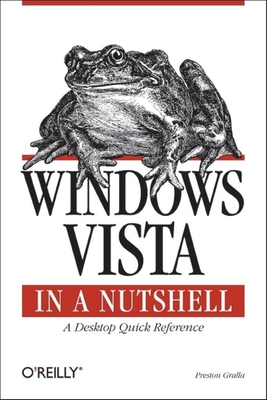
Windows Vista in a Nutshell: A Desktop Quick Reference
| AUTHOR | Gralla, Preston |
| PUBLISHER | O'Reilly Media (01/30/2007) |
| PRODUCT TYPE | Paperback (Paperback) |
Along with a system overview that highlights major changes, and a tour of the basics such as manipulating files and getting around the interface, Windows Vista in a Nutshell offers alphabetized references for these topics:
- The User Interface: Covers the Sidebar, Aero Glass, the new Control Panel layout, and applets, as well as how to customize animated windows, the desktop, Start menu, pop-up windows on the Taskbar, and more.
- The File System, Drives, Data, and Search: Discusses working with the new Windows Explorer, Virtual Folders, searches, indexing, saved searches, metadata, and sharing.
- The Internet and Networking: Examines TCP/IP, RSS, tabbed browsing, and anti-phishing features of Internet Explorer, plus cookie handling, parental control features, and more.
- Networking and Wireless: Offers an illustrated, step-by-step guide to setting up a home network; covers the Network Center, Sync Center, Hot Spot access, wireless management, collaboration, and sharing.
- Working with Hardware: Describes how to set up, maintain, and troubleshoot hardware--including keyboards, mice, monitors, USB devices, scanners, cameras, and sound devices--and how to add, install, and troubleshoot drivers.
- Security: Includes the Security Center, Windows Defender, User Account Protection, System Protection, Network Access Protection, WiFi encryption, Windows Firewall, file encryption, and more.
- Mobility: Explains Mobility Center settings, plugging a secondary monitor into your computer, and the new "network projection" feature for making presentations.
- Multimedia: Covers Windows Photo Gallery, Media Player, Media Center, podcasting features, connecting to and synching with MP3 players, recording TV and videos, making videos with Windows Movie Maker, and burning CDs and DVDs.
- The Command Prompt: Provides commands for working with files, utilities for troubleshooting the network, and instructions on how to create your own batch files.
Appendixes include information on installation, keyboard shortcuts, common filename extensions, and more. Windows Vista in a Nutshell is your one-stop source for everything you need from Microsoft's latest operating system.
Along with a system overview that highlights major changes, and a tour of the basics such as manipulating files and getting around the interface, Windows Vista in a Nutshell offers alphabetized references for these topics:
- The User Interface: Covers the Sidebar, Aero Glass, the new Control Panel layout, and applets, as well as how to customize animated windows, the desktop, Start menu, pop-up windows on the Taskbar, and more.
- The File System, Drives, Data, and Search: Discusses working with the new Windows Explorer, Virtual Folders, searches, indexing, saved searches, metadata, and sharing.
- The Internet and Networking: Examines TCP/IP, RSS, tabbed browsing, and anti-phishing features of Internet Explorer, plus cookie handling, parental control features, and more.
- Networking and Wireless: Offers an illustrated, step-by-step guide to setting up a home network; covers the Network Center, Sync Center, Hot Spot access, wireless management, collaboration, and sharing.
- Working with Hardware: Describes how to set up, maintain, and troubleshoot hardware--including keyboards, mice, monitors, USB devices, scanners, cameras, and sound devices--and how to add, install, and troubleshoot drivers.
- Security: Includes the Security Center, Windows Defender, User Account Protection, System Protection, Network Access Protection, WiFi encryption, Windows Firewall, file encryption, and more.
- Mobility: Explains Mobility Center settings, plugging a secondary monitor into your computer, and the new "network projection" feature for making presentations.
- Multimedia: Covers Windows Photo Gallery, Media Player, Media Center, podcasting features, connecting to and synching with MP3 players, recording TV and videos, making videos with Windows Movie Maker, and burning CDs and DVDs.
- The Command Prompt: Provides commands for working with files, utilities for troubleshooting the network, and instructions on how to create your own batch files.
Appendixes include information on installation, keyboard shortcuts, common filename extensions, and more. Windows Vista in a Nutshell is your one-stop source for everything you need from Microsoft's latest operating system.